

AI pressure usually arrives before AI clarity.
A business leader hears that teams are already using generative AI for drafting emails, support replies, reports, code, and product content. Board members ask about strategy. Managers ask for licenses. Security asks what data is being exposed. Everyone wants speed, but nobody wants a costly mistake.
That's the underlying context behind the question what is generative AI. It isn't academic curiosity. It's a management problem. You need to decide where it belongs, where it doesn't, and how to adopt it without creating new operational risk.
Beyond the Hype What Generative AI Means for Your Business
Generative AI is software that creates new content from patterns it has learned. That content can be text, code, images, audio, and increasingly combinations of all of them. For business leaders, the useful translation is simple: it's a production layer for knowledge work.
That's why the hype feels so intense. This technology moved from novelty to workplace habit in a short period. A 2026 industry compilation reports that nearly 40% of U.S. adults aged 18 to 64 had adopted GenAI, and about one-third used it daily or weekly for work-related tasks. The same compilation projects the global GenAI market to grow at a 46.47% CAGR from 2024 to 2030, reaching US$356.10 billion (Master of Code generative AI statistics).
Those numbers matter less as headlines than as business signals. Your customers are changing how they search, compare, and communicate. Your employees are already experimenting, whether policy has caught up or not. Your competitors are probably testing use cases inside marketing, support, and operations, even if they haven't announced an AI strategy.
Why executives should care now
The mistake isn't ignoring generative AI forever. The mistake is treating it as either magic or a toy.
A good executive lens is to ask three practical questions:
- Where does content bottleneck revenue? Think proposals, product descriptions, outreach, onboarding materials, internal documentation, and support responses.
- Where does knowledge work stall execution? Teams often wait on drafting, summarizing, reviewing, or translating information rather than making the actual decision.
- Where would a wrong answer be expensive? That's where human review, workflow controls, and tighter architecture matter most.
Practical rule: If a process depends on producing first drafts, variants, summaries, or explanations at scale, generative AI deserves attention.
For many organizations, generative AI won't replace a department. It will reshape how departments work. Marketing teams can create more versions faster. Sales teams can prepare account research in less time. Service teams can draft responses instead of typing from scratch. Engineering teams can accelerate routine coding and documentation.
If you're evaluating broader artificial intelligence business solutions, generative AI should sit inside that conversation as one capability among several, not as a standalone trend.
What it changes in practice
The strategic impact is straightforward:
- It compresses time to first draft
- It raises expectations for speed
- It shifts value from raw creation to judgment, editing, and orchestration
That last point is the one executives often miss. Once content generation gets cheaper, the scarce asset becomes trusted context. The businesses that win won't be the ones that merely generate more words or images. They'll be the ones that connect AI output to real workflows, approvals, customer standards, and business goals.
How Generative AI Actually Works Without the Jargon
At a practical level, generative AI works like a very fast apprentice that has studied an enormous library of examples. It doesn't “know” things the way a human expert does. It learns patterns across language, code, images, and other data, then predicts what should come next based on your prompt.
That's why prompt quality matters. You're not querying a database in the traditional sense. You're steering a pattern engine.

The simplest mental model
Think of generative AI as having two phases.
First, it learns from large amounts of existing material. During that phase, it absorbs relationships between words, structures, concepts, symbols, and formats.
Second, when you give it a prompt, it generates a fresh response by sampling from those learned patterns. MIT's explanation makes the core distinction clear: generative AI differs from discriminative AI because it learns the underlying joint distribution of training data and then samples from that learned space to produce new outputs; in modern systems, this is often implemented with encoder-decoder style deep-learning architectures and token-based representations (MIT on what generative AI is).
Why that matters in business terms
Traditional software follows explicit instructions. Traditional analytics often classifies, scores, or predicts. Generative AI does something different. It composes.
That's why it can take the same business intent and express it in many formats:
- Text generation can draft a customer email, summarize a contract, or rewrite a knowledge-base article.
- Code generation can suggest a function, explain a script, or produce test cases.
- Image generation can create a concept mockup from a written brief.
The model is working with tokens, patterns, and probabilities. It's not “thinking through” your company policy the way a trained manager would. If the prompt lacks context, the answer often looks polished but misses the point.
A confident answer isn't the same as a correct answer.
Generative AI versus other AI
This distinction helps executives choose the right system for the job.
| AI Approach | Best At | Typical Business Use |
|---|---|---|
| Generative AI | Creating plausible new output | Drafting, summarizing, ideating, coding, content production |
| Discriminative or decision AI | Classifying or predicting | Fraud detection, forecasting, routing, scoring, anomaly detection |
| Rules-based automation | Repeating defined steps | Approvals, data transfers, status updates, workflow triggers |
If you ask, what is generative AI, the clearest answer is this: it's AI built to produce new material, not just label or route existing data.
Why prompts and context matter so much
A weak prompt gets generic output. A strong prompt includes role, objective, constraints, audience, and source material. That turns the model from a generic writer into a guided assistant.
In practice, the best results usually come from structured prompting such as:
- Define the task with a specific business goal
- Supply context such as policy, product facts, or approved messaging
- Set boundaries for tone, format, and what the model should avoid
- Require review before anything customer-facing goes live
That's the point where AI stops being a novelty and starts becoming a managed capability.
The Creative Toolkit Exploring Types of Generative AI
Most executives first encounter generative AI through chat interfaces. That's only one slice of the domain. The better way to think about it is as a toolkit of generation modes, each suited to a different business task.
One team may need text. Another may need code. A third may need synthetic visuals for concepting. The business question isn't “Should we use generative AI?” It's “Which type fits this workflow?”
Comparing the main categories
The categories below are broad enough for strategic planning and specific enough to guide discussions with operations, product, and IT teams.
| AI Type | Primary Function | Example Use Case | Core Technology Example |
|---|---|---|---|
| Text generation | Produces written language | Drafting proposals, emails, summaries, knowledge articles | Token-based language models |
| Image generation | Creates or edits visuals | Marketing concepts, product mockups, campaign assets | Diffusion-style image generation |
| Audio generation | Produces spoken or sound-based output | Voice prompts, narrated content, internal training audio | Speech and audio generation models |
| Code generation | Produces software code and explanations | Drafting functions, test cases, technical documentation | Code-focused language models |
| Multimodal generation | Works across text, image, audio, or code together | Customer assistants, document understanding, design workflows | Multimodal foundation models |
What each type is good at
Text generation is usually the first business win because most companies run on words. Sales notes, service emails, internal SOPs, product descriptions, and executive summaries all involve repeatable drafting work.
Image generation is strongest in concepting and iteration. It helps creative teams explore directions quickly, but it still needs human review for brand fit, factual accuracy, and rights considerations.
Code generation is useful when engineers need acceleration, not autopilot. It can help with boilerplate, testing, documentation, and explanation, but teams still need disciplined review for security, architecture, and maintainability.
Where executives often misjudge the technology
Leaders often assume the “most advanced” model is the one that does the most things. In practice, broad capability can create operational mess if the workflow itself is poorly defined.
A better framing is to match the model type to the business need:
- Need faster written output? Start with text generation.
- Need visual exploration? Use image generation for ideation, not final truth.
- Need developer support? Use code generation inside review-controlled engineering processes.
- Need a unified assistant experience? Explore multimodal systems after governance is in place.
The strongest AI implementation usually starts with a narrow job and expands only after the review process is proven.
A practical selection filter
When choosing among types, ask:
- What input do we already have? Text documents, tickets, images, recordings, code repositories.
- What output do we need? Drafts, summaries, visual concepts, snippets, explanations.
- Who approves the result? Marketing, legal, engineering, compliance, customer support.
- What happens if the output is wrong? Minor rewrite, customer confusion, contractual risk, or security issue.
Those four questions usually reveal whether you need a simple drafting tool, a workflow-integrated assistant, or a more controlled custom implementation.
Putting Generative AI to Work Real-World Business Cases
The easiest way to understand business value is to look at where the technology fits inside daily work.
McKinsey notes a distinction many teams skip past: GenAI is best at producing plausible outputs, while traditional AI is better at classification and forecasting. The same explainer says 78% of organizations were using AI in at least one business function in 2024, up from 55% in 2023, yet many deployments still struggle to turn experiments into dependable process value (McKinsey on what generative AI is).
That gap between experimentation and dependable value is where executives need discipline.
Marketing and sales
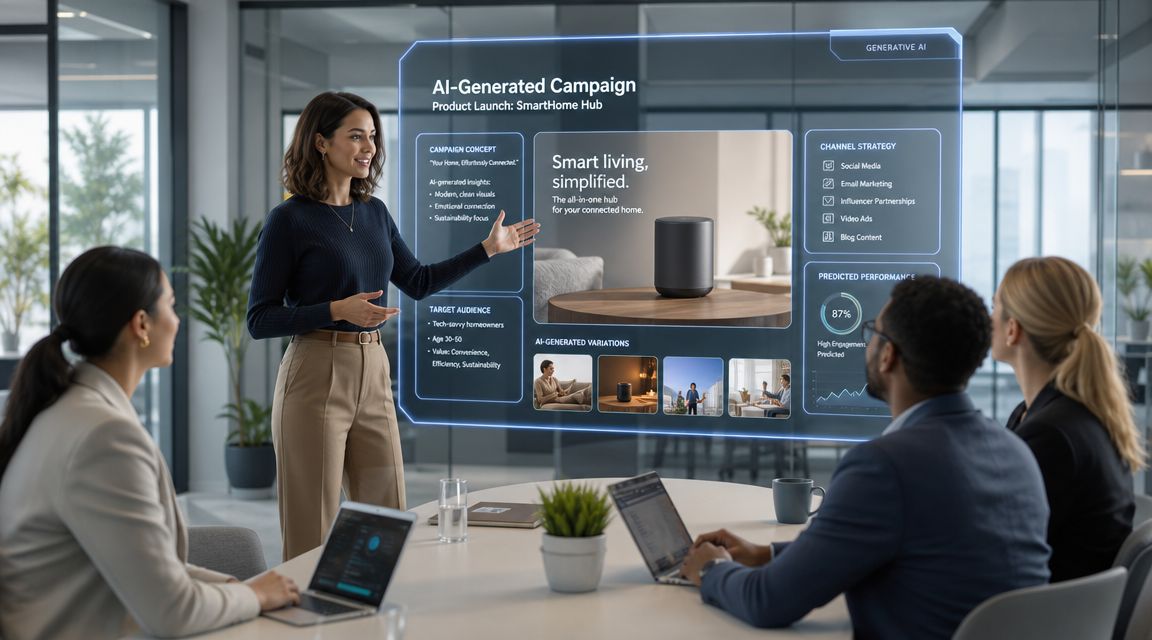
A marketing team often starts with campaign production. Instead of writing one email, one landing page, and one ad variant at a time, the team uses generative AI to create first drafts designed for segment, channel, and offer. The human work shifts to positioning, compliance review, and final refinement.
Sales teams use it differently. They don't need poetry. They need preparation. A rep can turn meeting notes, account history, and product details into a briefing document, follow-up draft, or objection-handling outline.
Customer support and operations
Support is a strong use case when the model drafts rather than decides. An agent receives a customer issue, the system proposes a response using approved knowledge, and the agent edits before sending. That reduces typing time while keeping a human accountable for tone and accuracy.
Operations teams can use the same pattern for internal workflows:
- Policy summaries for HR and finance questions
- Meeting recaps that turn discussions into action lists
- Document drafting for SOPs, templates, and handoff notes
If you want broader context on where automation fits beyond content generation, this guide to AI automation examples for business is useful because it helps separate generation tasks from repetitive process tasks.
Engineering and product
Engineering teams usually get value from generative AI in narrow places first. Useful applications include code explanation, test scaffolding, draft documentation, and help navigating unfamiliar modules.
Product teams often use it around the edges of delivery. It can summarize customer feedback, draft feature descriptions, rewrite release notes, or convert rough requirements into clearer specs.
That said, production software still needs human engineering judgment. Generated code can be syntactically clean and still be architecturally wrong.
Use generative AI where teams need acceleration. Don't use it where the business needs unattended judgment.
When to use automation instead
Here, many pilots go off course.
If the task is “route invoice to approver if amount exceeds threshold,” that's not a generative AI problem. That's workflow automation. If the task is “predict churn risk from usage patterns,” that's closer to decision AI. If the task is “draft a personalized renewal email using account context,” generative AI is a fit.
For smaller organizations exploring AI for SMEs, the most practical stack often combines both. Automation moves data and triggers actions. Generative AI creates the human-readable output inside the process.
A useful operating model
The strongest deployments usually follow this sequence:
- A business system provides the context
- Generative AI drafts or summarizes
- Rules-based automation routes the work
- A human approves high-impact outputs
That model keeps the speed while reducing the chaos.
Weighing the Opportunity The Benefits and Risks of Adoption
Generative AI is worth serious attention because the upside is now measurable, not theoretical. A 2025 statistics roundup reports an average 3.7x return on investment for every $1 invested in GenAI, along with estimated productivity improvements of 15% to 30%. The same source says early adopters saw average 15.2% cost savings and 22.6% productivity improvement (Sequencr generative AI statistics and trends for 2025).
That's strong enough to justify action. It's not strong enough to justify careless action.
Where the value usually comes from
Most gains come from one of four patterns:
- Draft acceleration where teams spend too much time producing the first version of content
- Knowledge compression where long documents, transcripts, or records need summarizing
- Service consistency where staff need help responding in a more uniform way
- Development support where engineers can move faster on routine coding and documentation tasks
The common thread is enhanced productivity. Generative AI works best when it reduces low-value effort and lets skilled employees spend more time on review, decision-making, and customer-specific nuance.
Where leaders get burned
The risks are manageable, but only if you acknowledge them upfront.
Accuracy risk
Generative AI can produce answers that sound polished and still contain mistakes. That's especially dangerous in legal, financial, regulated, or customer-facing contexts.
Data risk
Employees may paste confidential material into systems that weren't approved for sensitive use. That creates exposure long before any formal rollout begins.
Intellectual property risk
Content generation can raise questions about ownership, training data, reuse rights, and brand originality. These issues need policy review, not assumptions.
Bias and governance risk
Models can reflect patterns from training data that don't align with your standards. If an output influences hiring, customer treatment, or financial communication, governance matters.
A simple decision lens
Use this framework before approving a use case:
| Question | Low-Risk Answer | High-Risk Answer |
|---|---|---|
| Is the output internal or external? | Internal draft | Customer-facing or regulated communication |
| Can a human review it before use? | Yes, every time | No, or only sometimes |
| Is the source context controlled? | Approved internal content | Mixed or uncertain data sources |
| Is the task creative or determinative? | Drafting and summarizing | Final decisions or compliance judgments |
Executive test: If a wrong answer could trigger legal exposure, financial loss, or customer harm, don't deploy the use case without review controls.
For a more cautious view of workplace concerns, this discussion of why businesses are increasingly wary of using generative AI assistants at work and how it affects growing SMEs raises the right operational questions.
The right stance
Don't ask whether generative AI is safe in the abstract. Ask whether a specific use case is controlled enough to be deployed responsibly.
That shift changes the conversation from hype to governance. It also helps teams move faster, because they stop debating the entire future of AI and start evaluating individual workflows with clear standards.
Your Roadmap to Responsible AI Implementation
Most companies don't fail because the model is weak. They fail because they treat implementation like software procurement instead of organizational design.
A useful rollout starts with the workflow, not the demo. Identify where work gets delayed, where staff repeat the same drafting tasks, and where knowledge is trapped in documents or inboxes. Then build controls around those points.

Start with data and context
Modern generative AI can work with large volumes of unlabeled data through unsupervised learning, which lowers the labeling burden. NVIDIA's glossary also notes that Reinforcement Learning from Human Feedback, or RLHF, aligns outputs by using human-rated candidates to shift the model toward responses people judge as higher quality (NVIDIA generative AI glossary).
That has two practical implications.
First, you probably don't need perfectly labeled datasets to begin extracting value. Second, quality still depends on human judgment. If your internal knowledge is outdated, contradictory, or poorly governed, the model will amplify that mess.
Build around four implementation pillars
Data readiness
Gather the documents, policies, product information, support content, and process records the system should rely on. Remove obsolete material. Decide which sources are approved and which are off-limits.
Security and compliance
Set rules before broad access. Define what staff can upload, what data must be masked, which use cases require legal review, and where outputs must be logged or retained.
Workflow design
Insert AI into a real process. Don't leave it as a separate chat habit. A useful implementation connects prompts, source context, review steps, and approvals inside the way work already happens.
Cost control
Track where usage creates business value and where it creates noise. If teams generate endless drafts that no one uses, adoption looks active while ROI erodes.
A phased approach works better than a big launch
The most reliable rollouts usually look like this:
- Choose one narrow use case with clear owners and measurable workflow pain
- Set usage rules for data, review, and approval
- Pilot with a small team that can provide honest feedback
- Refine prompts and source materials based on output quality
- Expand only after governance holds up under real work
What to ask an implementation partner
If you use an outside partner, ask practical questions rather than abstract ones.
- How will you connect AI to our actual workflow?
- What data will the system use, and how is access controlled?
- Where does human review stay mandatory?
- How will cost, quality, and usage be monitored?
- What happens if the output is wrong?
One option in this category is NineArchs LLC, which offers custom generative AI solutions alongside broader software development, IT services, and outsourcing support. The relevant business value isn't just model access. It's the ability to connect AI work to operations, staffing, and implementation discipline.
Good implementation doesn't start with “What can the model do?” It starts with “Which business task needs a safer, faster way to get done?”
Why a US-based outsourcing partner can help
For many businesses, especially those handling sensitive customer data or regulated workflows, a US-based outsourcing partner adds practical advantages:
- Clearer communication with fewer timezone and context gaps during planning and review
- Closer alignment with U.S. business norms, documentation standards, and stakeholder expectations
- Stronger governance coordination across security, compliance, legal, and operations teams
- Faster executive access when decisions need escalation, not another long vendor loop
That's often the difference between an AI pilot that stays interesting and one that becomes operational.
Partnering for Success with NineArchs
Generative AI adoption isn't just a technology choice. It's an execution choice. Businesses need a partner that can help them evaluate use cases, connect AI to real workflows, and keep security, cost, and accountability in view from the start.
A US-based outsourcing partner is especially valuable when projects involve cross-functional coordination. Clear communication, cultural alignment, easier working-hour overlap, and stronger familiarity with U.S. operational expectations all reduce friction. That matters when legal, IT, finance, and business teams need to move together.
NineArchs works across generative AI solutions, software development, IT services, and outsourcing support. That combination is useful because many AI projects don't fail at the model layer. They fail at integration, staffing, process design, or follow-through.
| Contact Method | Details |
|---|---|
| Phone | (310)800-1398 / (949) 861-1804 |
| info@ninearchs.com |
If your team is asking what generative AI is, the next question should be more specific: where can it improve work without increasing risk? That's the point where a practical implementation conversation becomes far more valuable than another AI demo.
NineArchs LLC helps businesses turn generative AI from a vague initiative into a controlled, useful operating capability. If you want support with AI strategy, workflow design, software implementation, or scalable outsourcing from a US-based partner, call (310)800-1398 or (949) 861-1804, or email info@ninearchs.com.