
Let's be honest: the term "Microsoft 365 migration services" sounds like a mouthful of dry, technical jargon. But what it really describes is moving your company’s digital life—all your files, your apps, and your people's accounts—into the powerful, interconnected world of Microsoft 365. The whole point is to make this move without tripping over cords, losing data, or bringing your workday to a grinding halt. It’s about getting your team set up to use all the best tools, securely, from day one.
Your Strategic Move to Microsoft 365

The first step to a successful move is seeing it for what it is: a strategic evolution for your business, not just another IT project on a checklist. This isn't about swapping one software for another. It’s a fundamental shift in how your team works together, communicates, and protects its most valuable information. You're laying the foundation for a more connected, resilient, and modern digital workplace.
More and more businesses are making this move a priority because the operational upsides are too significant to ignore. A great migration isn’t just about moving files from point A to point B; it’s about fully adopting an integrated suite of tools built to solve today’s real-world business challenges.
Why Prioritize a Microsoft 365 Migration?
The reasons for embracing Microsoft 365 are compelling because they directly boost both productivity and your peace of mind. For many, the goal is to finally break down those frustrating data silos and let teams collaborate effortlessly, whether they’re in the same room or across the country. For others, it’s all about building a stronger wall against the ever-growing tide of cyber threats.
Key drivers for making this move include:
- Collaboration That Actually Works: Finally unify your communications. With tools like Teams, SharePoint, and Exchange Online, employees can co-author documents in real-time, share files securely, and stay connected without juggling five different apps.
- Security and Compliance You Can Trust: Microsoft 365 comes loaded with advanced security features, from identity protection to threat management. This helps you fortify your defenses and meet the strict regulatory requirements that govern your industry.
- Flexibility to Grow (or Shrink): The cloud gives you agility that old on-premise systems never could. You can easily scale services up when you're growing fast or scale them down during leaner times, paying only for what you need.
The Advantage of a US-Based Partner
When you're ready to find an expert for Microsoft 365 migration services, working with a US-based partner provides some very practical advantages. Having a domestic team means you get real-time collaboration during your actual business hours, which completely removes the frustrating delays and communication lags that can stall a project. That time-zone alignment is absolutely critical for quick troubleshooting and decisive action.
Choosing a US-based partner means you’re getting clear communication from people who share your business culture. They have direct experience navigating the complex US compliance and data privacy landscape. That local expertise is invaluable for ensuring your transition is both smooth and secure.
A migration project, when guided by a partner who’s been down this road many times before, builds the framework for a more productive and secure modern workplace. To get a consultation on your migration strategy, reach out to NineArchs at (310)800-1398 / (949) 861-1804 or email info@ninearchs.com.
Choosing Your Migration Path

There’s no single roadmap for moving to Microsoft 365 because every business moves at a different speed. Picking the right migration strategy is one of the most important calls you'll make. It sets the tone for the entire project—dictating the timeline, the level of disruption your team will feel, and the overall complexity.
Think of it like moving to a new home. How you get there depends on how much stuff you have, how fast you need to be settled, and how much you can afford to disrupt your daily life. Your choice will fall into one of four primary strategies, each built for a different kind of organization.
Making this decision with the help of experienced Microsoft 365 migration services ensures the path you choose aligns with your real-world business goals, not just your IT wish list.
Cutover Migration: The All-In-One Weekend Move
A Cutover Migration is exactly what it sounds like: you pack up everything and move it all in one shot. We’re talking about every user, mailbox, and file. This usually happens over a single weekend or a long holiday to keep the disruption to an absolute minimum.
It's the fastest, most direct route to Microsoft 365. This makes it a fantastic option for smaller organizations—typically those with fewer than 150 users and a fairly straightforward IT setup. The goal is to get everyone working on the new platform decisively and quickly. But don't let the speed fool you; it requires meticulous planning to make sure the switch is clean and no data gets left behind.
Staged Migration: The Room-by-Room Approach
In contrast, a Staged Migration is like moving your house one room at a time. Instead of an all-or-nothing event, you move users and data in organized batches. This process can unfold over several weeks or even months, giving you far more control and breathing room.
This is the go-to strategy for mid-sized organizations that can't afford to have their entire operation offline. By moving one department or team at a time, your IT staff can manage the workload without getting buried. It also lets you find and fix any issues with a small group first, creating a smoother transition for everyone else.
Hybrid Deployment: The Best of Both Worlds
A Hybrid Deployment is like owning two homes and syncing your life perfectly between them. It’s designed for large enterprises that need to keep some servers and services running on-premise while extending other functions to the cloud. You get a single, unified environment where your own Exchange servers and Microsoft 365 work together seamlessly.
This is undoubtedly the most complex path, but it's often essential for organizations with strict regulatory, security, or operational needs that make a full cloud move impossible. As you explore options, it's also worth seeing how a Lift and Shift cloud migration for other systems could fit into your broader cloud strategy. A hybrid setup offers ultimate flexibility but demands deep technical expertise and ongoing management.
Choosing a migration path is a critical business decision. Whether it's the all-in speed of a Cutover or the long-term integration of a Hybrid deployment, the right choice depends entirely on your company's size, complexity, and tolerance for disruption.
Tenant-to-Tenant Migration: The Complex Merger
A Tenant-to-Tenant Migration is a highly specialized process, usually triggered by a major business event like a merger, acquisition, or divestiture. It involves the complex task of moving data and users from one existing Microsoft 365 environment (a "tenant") to another.
This is by far the most intricate scenario. It’s like merging the contents of two entirely separate households into one, demanding a perfect inventory and plan to ensure nothing gets lost or broken. You're not just moving data; you're consolidating user identities, security policies, and permissions. This type of migration absolutely requires specialized tools and deep expertise.
To help you visualize the trade-offs, here’s a quick comparison of the different paths you can take.
Comparing Microsoft 365 Migration Approaches
This table offers a side-by-side look at the primary migration strategies. Use it to quickly assess which approach might be the best fit for your organization’s size, resources, and tolerance for disruption.
| Migration Type | Best For | Speed | Complexity | User Impact |
|---|---|---|---|---|
| Cutover | Small businesses (<150 users) with simple IT setups. | Fast (days) | Low | High (brief, concentrated downtime) |
| Staged | Mid-sized organizations that need to minimize downtime. | Moderate (weeks/months) | Medium | Low (phased, minimal disruption) |
| Hybrid | Large enterprises with regulatory or legacy system needs. | Slow (ongoing) | High | Low (seamless coexistence) |
| Tenant-to-Tenant | Mergers, acquisitions, or divestitures. | Varies | Very High | Varies (can be disruptive without expert planning) |
Each path has clear benefits and drawbacks. A quick Cutover is great for a small, agile team, but it would be a disaster for a large enterprise. A Hybrid setup offers unmatched flexibility but comes with significant overhead. The key is to choose the path that serves your business reality, not just the technology.
Choosing the right partner is just as critical. A USA-based partner offers huge advantages, from real-time support during your business hours to clear, direct communication. For help selecting the right path for your business, call NineArchs at (310)800-1398 / (949) 861-1804 or email info@ninearchs.com.
The Seven Phases of a Flawless Migration
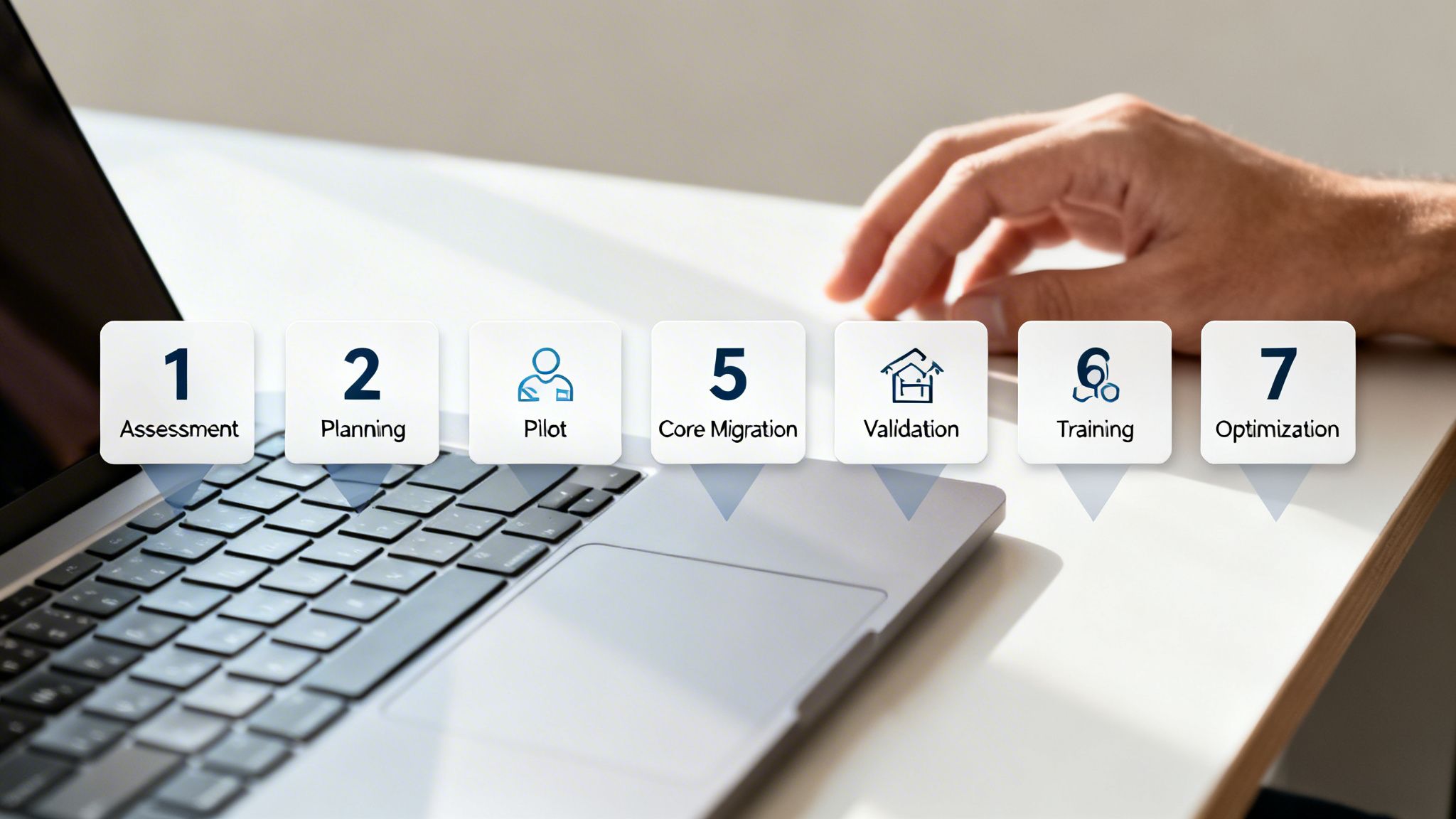
A successful move to Microsoft 365 isn't a single flip of a switch. It’s a meticulously planned project with distinct, manageable phases. Just as an architect needs a blueprint before breaking ground, your business needs a clear roadmap to ensure a smooth, predictable transition to the cloud.
This structured approach is the cornerstone of professional Microsoft 365 migration services. It’s what transforms a potentially chaotic and disruptive event into a controlled and transparent journey. By breaking the project down into seven logical phases, you eliminate guesswork and create clear milestones. Each stage builds on the last, making sure every detail is accounted for—from the first analysis to long after the launch.
Phase 1: Assessment and Discovery
The very first step is a deep dive into your current IT environment. Think of it like taking a detailed inventory of your entire house before you even think about packing a single box. This phase is all about answering critical questions: what do we have, how is it being used, and what needs to come with us?
A thorough assessment catalogs all the moving parts:
- Current Infrastructure: On-premise servers like Exchange or SharePoint, network bandwidth, and all existing hardware.
- Data Volume and Type: The total amount of data living in mailboxes, shared drives, and personal archives.
- User Accounts and Permissions: A complete map of every user, their access rights, and all group memberships.
- Applications and Dependencies: Any third-party software that plugs into your current systems and can't be left behind.
This discovery phase is non-negotiable. It provides the rock-solid data needed to build an accurate migration plan and, more importantly, to avoid expensive surprises down the road.
Phase 2: Planning and Design
With a complete picture of your current world, the next phase is to draw the blueprint for your new one. This is where your migration partner translates the "what" from the assessment into the "how" of the project. This plan will outline the entire strategy, from timelines and resources to how we'll handle any potential risks.
Key outputs from this phase include a detailed project plan that specifies the migration method (Cutover, Staged, or Hybrid), the exact tools for the job, and a precise schedule. The design also defines the target architecture in Microsoft 365, mapping old locations to new ones—for instance, deciding which file shares will become SharePoint sites and which will move to individual OneDrive accounts.
Phase 3: The Pilot Migration
Before moving your entire organization, you do a small-scale test run. The pilot migration is your project’s dress rehearsal. It involves moving a small but representative group of users and their data into the live Microsoft 365 environment.
This small-scale test is invaluable. It lets the technical team validate the entire migration process, test the tools in a real-world setting, and sniff out any potential issues—like a tricky application integration or a complex permission setting—before they can impact the whole company.
Getting feedback from these pilot users is just as crucial. It helps refine the process, shape the communications for the rest of the team, and build confidence that the main event will go off without a hitch.
Phase 4: The Core Migration
This is showtime. The core migration is when the bulk of your users and data make the move to Microsoft 365. Depending on the strategy we designed, this could happen over a single weekend (Cutover) or in carefully managed batches over several weeks (Staged).
Throughout this phase, your migration partner will be using specialized tools to transfer mailboxes, files, and other data with perfect fidelity. Clear and constant communication is the key here. Users need to know exactly when their move is happening and what they should expect. A well-executed core migration, guided by an expert team, ensures disruption to daily work is kept to an absolute minimum.
Phase 5: Post-Migration Validation
Once the data is moved, the job isn't over. The validation phase is all about meticulously checking that everything arrived safely and works exactly as it should. This involves running reports to confirm all data was transferred, testing email flow, verifying permissions on SharePoint sites, and making sure every calendar entry is intact.
This quality assurance step is critical for building user trust. When employees log in for the first time and find their digital workspace is right where they left it, it fosters a positive reception and accelerates adoption across the board.
Phase 6: User Training and Adoption
Technology is only as good as the people using it. Simply handing over new tools and walking away is a recipe for failure. You have to ensure your team feels comfortable and empowered in their new environment. This phase is all about providing the right training, documentation, and support to help everyone make the most of the platform.
Effective adoption strategies often include:
- Targeted Training: Sessions focused on specific tools people will use most, like Teams or OneDrive.
- Quick-Start Guides: Easy-to-follow resources for common, everyday tasks.
- A "Champions" Program: Empowering tech-savvy employees to act as go-to helpers for their peers.
Phase 7: Post-Migration Optimization
After the migration is complete and users have settled in, the final phase focuses on fine-tuning your new environment for long-term success. This includes optimizing security settings, reviewing licenses to ensure you’re not overpaying, and monitoring performance to keep things running smoothly. An experienced partner can help you configure advanced features like data loss prevention (DLP) policies and multi-factor authentication (MFA) to fully lock down your new cloud workspace.
Engaging a USA-based outsourcing partner offers significant advantages throughout these phases, providing real-time support, clear communication, and expertise in US compliance standards. To discuss a structured migration plan for your business, contact the experts at NineArchs. Call (310)800-1398 / (949) 861-1804 or email info@ninearchs.com today.
Getting Your Licensing, Security, and Compliance Right

A migration isn't just about moving your files from one place to another. It's a rare chance to hit the reset button—a moment to rethink how your entire digital workspace is structured. This is your opportunity to fine-tune your software licenses, harden your security, and make sure you’re aligned with the compliance standards that matter.
Nailing these three areas after a migration is what separates a good setup from a great one. It’s how you build an environment that’s not just powerful, but also secure and genuinely cost-effective. But it all starts with taking a hard, honest look at what you’re paying for. Without a proper review, it's dangerously easy to burn money on features you don't use or, just as bad, miss out on tools that could actually move the needle for your business. This is where experienced Microsoft 365 migration services really prove their worth.
Choosing the Right License Tiers for Maximum ROI
Microsoft 365 licenses aren’t one-size-fits-all, and that’s a good thing. The platform is built to scale, with plans ranging from the essentials in the Business tiers to the powerhouse features in the Enterprise plans. The whole point is to match the license to the person, not the other way around.
Think about it: your sales team might need the advanced analytics and deep CRM integrations that come with a higher-tier plan. But what about your administrative staff? If they only need Word, Excel, and Teams, paying for premium features they'll never touch is just a drain on your budget. A post-migration license audit helps you right-size every single subscription.
A sharp license analysis is a key part of the post-migration phase. By mapping user roles to the right license tiers, we’ve seen organizations cut their monthly spend by 15-20%. It’s not about spending less; it’s about spending smarter, so every employee has exactly what they need.
Fortifying Your Security Posture
Once your data is in the cloud, security isn't just a "best practice"—it's a fundamental business requirement. Microsoft 365 comes loaded with a robust suite of security tools, but they don't do you any good until they're switched on and configured correctly. This is one of the most critical steps you’ll take. Working with a US-based partner here is invaluable, as they can help ensure your setup meets domestic security expectations and compliance frameworks right out of the gate.
At a minimum, these security settings are non-negotiable:
- Multi-Factor Authentication (MFA): This is your best and simplest line of defense. By requiring a second proof of identity beyond a password, you make it exponentially harder for anyone to get in, even if they have stolen credentials.
- Conditional Access Policies: Think of these as smart, automated security guards. You can create rules that block sign-ins from unrecognized countries or demand MFA when a user tries to log in from a new device. It’s a dynamic layer of protection that adapts to risk.
- Data Loss Prevention (DLP): DLP policies are your digital guardrails. They can automatically detect and block sensitive information—like credit card numbers or protected health data—from being shared outside your company, whether by accident or with intent.
To get a better handle on these foundational controls, take a look at our detailed guide on Microsoft 365 security best practices.
Navigating Compliance and Data Governance
Staying on the right side of regulations like HIPAA, GDPR, or CCPA is a massive responsibility for any business. The good news is that Microsoft 365 has tools specifically designed to help you meet those obligations. For example, the Microsoft Purview compliance portal gives you everything you need for data retention policies, eDiscovery, and audit logs, creating the paper trail required to prove you’re compliant.
During your migration project, it's also the perfect time to embed strong data protection by design in your HR systems and other core applications, ensuring security is baked in from day one.
The platform's incredible growth, with annual commercial revenue surging past $60 billion in 2026, is built on this foundation of trust. That 16% year-over-year jump is fueled by businesses moving to higher-end plans precisely for these advanced security and compliance tools.
When you approach licensing, security, and compliance with a clear strategy, your Microsoft 365 tenant becomes more than a collection of apps. It becomes a secure, efficient, and well-governed digital headquarters for your entire organization. For expert help optimizing your environment, give NineArchs a call at (310)800-1398 / (949) 861-1804 or email info@ninearchs.com.
Selecting the Right Migration Partner
Choosing a partner for your move to the cloud is less about finding a technical vendor and more about finding a strategic guide. This decision is one of the most critical you'll make, as the right team doesn't just execute a plan—they protect your business goals from start to finish.
Think of it this way: a great partner has the foresight to see around corners, helping you navigate the complexities of a migration and sidestep the costly mistakes that can derail a project. Their expertise becomes your biggest asset.
The success of your migration really hinges on finding a team with a proven, verifiable track record. When you’re vetting providers of Microsoft 365 migration services, you need to look past the sales pitch and demand real-world case studies. Their ability to demonstrate a deep, practical understanding of security isn’t just a bonus—it's a non-negotiable for protecting your company’s data.
Key Criteria for Vetting a Partner
A thorough vetting process goes far beyond checking for technical certifications. You're looking for a partner who can operate as a genuine extension of your own team, which requires a blend of technical mastery, disciplined project management, and exceptionally clear communication.
Here are the essential criteria to focus on:
- Certified Microsoft Expertise: Make sure the team holds current and relevant Microsoft certifications. This is your proof that they are completely up-to-date with the platform's constantly evolving features and security protocols.
- A Proven Track Record: Don't be afraid to ask for case studies and references, specifically from businesses of a similar size and in the same industry as yours. This is the only way to know if they can truly deliver on their promises.
- Deep Security and Compliance Knowledge: Your partner absolutely must have a strong command of security configurations like MFA and DLP. They also need demonstrated experience with the compliance frameworks that matter to your industry, whether that's HIPAA, GDPR, or something else.
The Strategic Advantage of a US-Based Partner
Beyond pure technical skill, choosing a US-based partner offers distinct and practical benefits that contribute directly to a smoother, more efficient project. It’s a decision that can dramatically improve project flow, cut down on miscommunication, and guarantee alignment with domestic business standards. For a detailed overview, you can explore the benefits of working with different cloud migration service providers.
Working with a US-based partner means you get real-time collaboration during your actual business hours. Seamless communication removes frustrating delays, allowing for rapid troubleshooting and decisive action when it matters most.
This alignment also extends to culture and compliance. A domestic partner inherently understands US project management etiquette and business norms, which fosters a more natural and productive working relationship from day one.
Crucially, they operate under the same strict US data privacy laws. This provides an essential layer of assurance that your sensitive information is being handled with the highest level of care and legal accountability.
Ultimately, finding the right partner is about building a trusted relationship. You need a team that will stand by you through every phase of the migration, from the initial planning sessions to post-launch optimization and support. Ready to find a partner who can ensure your migration is a resounding success?
Contact the expert team at NineArchs for a consultation. Call us at (310)800-1398 / (949) 861-1804 or email info@ninearchs.com to take the next step.
Common Questions About Microsoft 365 Migration
Thinking about a move to Microsoft 365 brings up a lot of practical questions. It’s a big step, and it’s only natural to wonder about the timeline, the safety of your data, and what the experience will be like for your team.
We’ve guided countless businesses through this process, and we’ve heard every question in the book. Here are some straightforward answers to the things leaders are often thinking about but might not always ask.
How Long Does a Microsoft 365 Migration Take?
There’s no one-size-fits-all answer here. The timeline depends entirely on the size of your team, the amount of data you have, and the migration path you choose. It’s a bit like moving houses—packing up a small apartment is a weekend job, while moving a 10-bedroom mansion is a multi-week production.
A small business with under 50 employees, for instance, might go for a Cutover migration. That can often be done over a single weekend, minimizing disruption.
But for a mid-sized company, a Staged approach makes more sense. Moving a few hundred people department by department might take several weeks. Large enterprises with complex hybrid setups? We're talking about a carefully orchestrated project that could span several months. The only way to get a real number is to have an expert look under the hood with a professional assessment.
Is There a Risk of Losing Data During the Migration?
This is probably the biggest fear for any business leader, and it’s a valid one. While no data transfer is completely without risk, working with professional Microsoft 365 migration services is the single best way to protect your information.
Experts don’t just drag and drop files. They use proven tools and a methodical process designed to make sure every email, file, and calendar entry arrives safely.
The pilot phase is the critical safety net in any professional migration. We move a small, controlled batch of data first to spot and fix any potential hiccups before the main event. Your original data is kept as a secure, read-only copy until you’ve confirmed everything is in its new home and signed off.
What Happens to Our Existing Email and Files?
The whole point of a great migration is to make the switch feel seamless for your team. All your existing data is carefully mapped and moved to its new home in the Microsoft 365 ecosystem.
It’s a like-for-like transition:
- Your team’s on-premise mailboxes become their new Exchange Online mailboxes.
- Shared files from that old server in the closet? They’ll be migrated to modern SharePoint Online sites.
- Everyone’s personal work files are typically moved into their own individual OneDrive for Business accounts.
When your team logs in for the first time post-migration, their world should look familiar. Their emails are there. Their files are waiting. This continuity is what drives a positive experience and gets everyone on board quickly.
Why Hire a Partner Instead of Doing It In-House?
Trying to handle a migration with your internal team can look like a way to save money on paper. In reality, it’s a gamble that often leads to hidden costs—extended downtime, lost data, and frustrating user experiences.
Worse yet, a DIY migration can leave you with critical security gaps from day one, making your shiny new cloud environment vulnerable.
Choosing an experienced outsourcing partner, especially one in the USA, is about more than just an extra set of hands. A US-based team means you get real-time support during your business hours—no waiting for someone in a different time zone to wake up when there’s a problem. It also means you’re working with people who instinctively understand US business culture and compliance needs.
A dedicated partner like NineArchs brings specialized tools and years of project experience to the table. We’ve seen what can go wrong and know how to prevent it. Our expertise ensures your migration is faster, more secure, and configured correctly for the long haul, freeing up your IT team to focus on what they do best.
Ready to get clear, expert answers to your specific migration questions? The team at NineArchs LLC is here to help you plan a smooth and secure transition.
Contact us today for a consultation at (310)800-1398 / (949) 861-1804 or email us at info@ninearchs.com.