
Automating your accounts payable means fundamentally shifting away from paper invoices and manual data entry.To automate accounts payable, businesses must shift from manual data entry and paper invoices to a system using software for invoice capture, processing, and payment. This transition involves assessing current workflows, choosing the right technology, and redesigning processes to eliminate bottlenecks. The goal is to create a touchless system that reduces costs, errors, and frees up your finance team for more strategic work.
The Real Cost of Sticking with Manual AP
That stack of invoices piling up on a desk isn’t just paper—it’s a hidden drain on your business’s resources, efficiency, and growth potential. Sticking with manual accounts payable processes goes far beyond the obvious costs of printing and postage. It creates a cascade of operational friction that holds your company back.

The true impact lies in the details: late payment fees that erode profits, missed early-payment discounts that leave money on the table, and the constant risk of duplicate payments or fraud due to human error. Each manually entered invoice is an opportunity for a costly mistake.
The Hidden Financial Drain
The inefficiency of manual AP is staggering. Accounts payable automation has revolutionized finance operations, slashing processing costs by an impressive 60-80%. This drops the average expense from $15-20 per invoice down to just $3-5. Manual methods can tie up hundreds of hours in data entry alone, as AP teams grind through only 5-10 invoices per hour. Automation flips this script, with AI-powered tools achieving 99% accuracy and speeding up processing significantly. Discover more insights on AP automation performance from Artsyltech.
This manual grind keeps your most valuable finance professionals buried in low-value, repetitive tasks. Instead of analyzing spending trends or optimizing cash flow, they are chasing approvals and keying in data. This isn’t just inefficient; it’s a strategic misallocation of talent. Check out our guide on the broader business process automation benefits for more context.
The decision to automate accounts payable is not just a technology upgrade. It is a critical business strategy that directly impacts profitability, operational resilience, and your team’s capacity for high-value work.
Your Strategic Path Forward
As you consider how to automate accounts payable, you face a fundamental choice. You can build this capability in-house, which involves selecting software, training staff, and managing the entire implementation process. This route offers maximum control but often requires significant upfront investment and a longer timeline to see results.
Alternatively, you can accelerate your journey by partnering with an expert. A US-based outsourcing partner provides immediate access to best-in-class technology and skilled professionals who understand domestic regulations. This approach minimizes risk, reduces the burden on your internal team, and ensures a smoother, faster transition to a fully automated system. An experienced partner can manage the entire AP function for you, delivering efficiency and cost savings from day one.
To explore how a tailored outsourcing solution can deliver AP automation results faster, contact us at +1 (310)800-1398.
Building Your Automation Blueprint
Jumping straight into buying software without a clear plan is one of the most common—and costly—mistakes companies make. A successful automation project doesn’t start with a demo. It starts with a solid blueprint that details your current processes, pinpoints your biggest frustrations, and sets clear goals. This foundational work is what ensures you choose the right tools and design workflows that actually deliver.
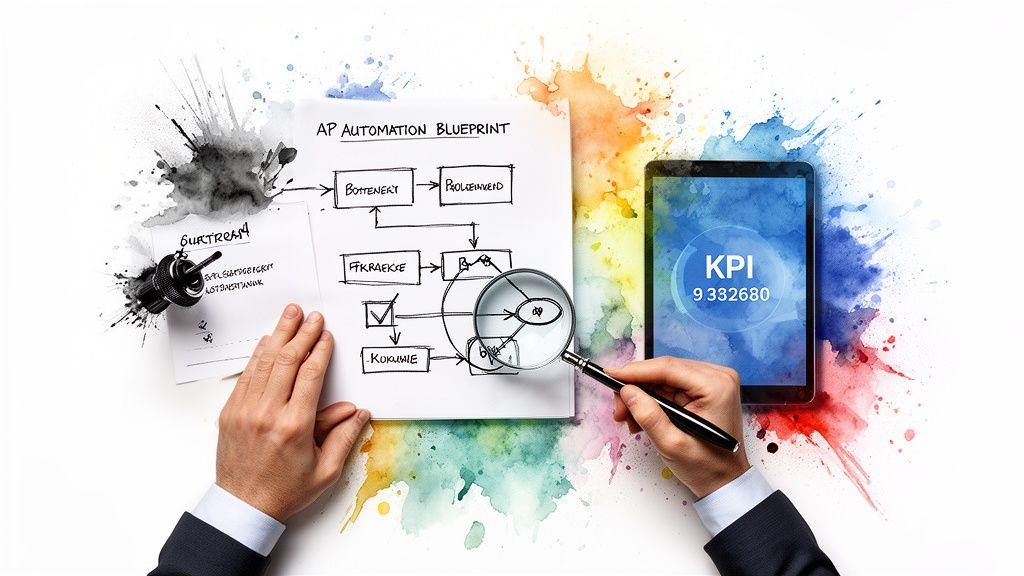
The first real step is a thorough readiness assessment. This isn’t just a quick glance at your monthly invoice count; it’s a diagnostic deep dive. You need to gather the data and start asking some tough questions about how things really operate today.
Auditing Your Current AP Workflow
Before you can figure out where you’re going, you have to know exactly where you stand. Start by evaluating every single component of your existing accounts payable cycle. This audit will uncover all the hidden costs and inefficiencies that ultimately justify your investment in automation.
A great place to begin is by calculating your current cost-per-invoice. This isn’t just about your AP team’s salaries. It includes the indirect expenses—printing, postage, storage, and the money you lose from late payment fees or missed early-pay discounts. For most businesses, that number is surprisingly high, often exceeding $15 per invoice.
This baseline becomes your yardstick for success. For more on this, check out this practical guide to automate accounts payable, which breaks down the key strategies.
Mapping the Invoice Journey
Process mapping is an incredibly powerful exercise. You literally draw out every single step an invoice takes from the moment it arrives until it’s paid and archived. Putting it on a whiteboard or a flowchart instantly highlights redundancies, delays, and bottlenecks that hide in plain sight during day-to-day work.
As you map the process, dig for answers to these critical questions:
- Intake: How do invoices even get to us? Are they flooding email inboxes, arriving by mail, or sitting in vendor portals?
- Data Entry: Who is manually keying in the data? How long does it take per invoice, and what’s our error rate?
- Approvals: How are invoices routed? What’s the plan when an approver is on vacation or just slow to respond?
- Exceptions: What happens when there’s a PO mismatch or a missing line item? How much back-and-forth does it take to fix it?
This map becomes your guide, showing you exactly where automation can have the biggest impact. For example, if you discover that 40% of your team’s time is wasted keying in data from PDFs, you know a solution with top-notch OCR has to be a priority.
A detailed process map does more than just identify problems; it builds a compelling business case. When you can show stakeholders a visual flowchart pinpointing exactly where time and money are being wasted, securing buy-in becomes much easier.
Securing Stakeholder Buy-In
An AP automation project is never just a finance initiative. It touches IT, procurement, and every department head who has to approve an invoice. Getting their support early on is non-negotiable. Your job is to show how this project solves their specific problems.
- For Finance: Frame the conversation around hard cost savings, better cash flow management, and stronger financial controls.
- For IT: Talk about how modern cloud platforms reduce the strain on internal servers and come with robust, built-in security.
- For Procurement: Emphasize how on-time payments and a transparent process will strengthen vendor relationships.
If building this internal coalition feels like herding cats, partnering with an experienced, US-based outsourcing expert can give you a huge advantage. They’ve navigated these conversations before and can manage the project from start to finish, ensuring alignment and smooth execution. To get guidance on how an outsourcing partner can help, call us at +1 (310)800-1398. If you’d like to learn more about this model, you might find our overview on what business process outsourcing is helpful.
Decoding Your AP Automation Tech Options
Alright, once you’ve got a solid blueprint of your current AP process, it’s time to dive into the fun part: the technology that actually makes the automation happen. Understanding these tools is key to making a smart decision for your business. The goal here isn’t just to buy fancy software; it’s to build a tech stack that genuinely kills manual work, not one that just creates new headaches.
Think of the modern AP tech ecosystem less like a single tool and more like a team of digital specialists. Each one has a specific job, from grabbing data off an invoice to routing approvals. They all have to work together seamlessly.
Intelligent Data Capture with OCR and IDP
The first hurdle is always getting the information off an invoice and into your system. This is where Optical Character Recognition (OCR) enters the picture. In its simplest form, OCR tech scans a document—like a PDF invoice—and turns the text into data your computer can read.
But let’s be honest, basic OCR is old news. The real game-changer is Intelligent Document Processing (IDP). This is the next generation, using AI and machine learning not just to read text, but to understand it. An IDP solution knows the difference between an invoice number, a PO number, and a line item total, no matter how the invoice is formatted. This AI-driven approach can hit accuracy rates well over 99%, and it gets smarter with every invoice it processes.
Imagine a new vendor sends an invoice with a quirky layout. An IDP system can be taught to read it once, and from then on, it will know exactly where to find the key data every single time. No more manual keying.
The Core Engine: Dedicated AP Automation Platforms
A dedicated AP automation platform acts as the central command center for your entire workflow. These systems are purpose-built to manage everything from the moment an invoice arrives until the payment is sent, tying all the different technologies together.
Here’s what you should be looking for:
- Automated 3-Way Matching: The system instantly cross-references the invoice with its matching purchase order and receiving report. Any mismatches in price or quantity get flagged and routed for human review, stopping errors before they start.
- Dynamic Approval Workflows: You can set up custom, rule-based approval routes. For example, maybe invoices under $1,000 get approved automatically, while anything over $10,000 goes straight to the CFO. It’s completely configurable.
- Centralized Vendor Portal: This is a lifesaver. It’s a secure online space where your vendors can upload invoices, check on payment statuses, and update their own contact information. Think of all the “Where’s my payment?” phone calls and emails this eliminates for your team.
At its heart, a great AP automation strategy relies on a powerful automated invoice system. These platforms are the engine that keeps everything moving, tracked, and executed perfectly.
Bridging the Gaps with RPA and ERP Integration
But what if you’re stuck with older, legacy systems that don’t play nicely with modern software? This is where Robotic Process Automation (RPA) becomes your best friend. RPA uses software “bots” that are programmed to mimic human actions—think logging into a system, copying data from one screen, and pasting it into another.
Let’s say your accounting software doesn’t have a direct link to your online banking portal. You could program an RPA bot to log in, download the daily payment confirmation report, and then upload that data into your ERP to automatically mark the corresponding invoices as paid. It’s a brilliant way to automate stubborn processes without having to rip and replace your existing systems.
Seamless ERP integration is non-negotiable. Your AP automation software absolutely must talk to your ERP or accounting system without a hitch. If it doesn’t, you’re just creating another data silo and forcing your team to manually reconcile everything, which defeats the whole purpose.
The best solutions on the market come with pre-built integrations for major ERPs, making sure your financial data is always in sync and accurate. This is the critical link; without it, the whole project can fall apart. Learning more about how AI for SMEs is making these advanced tools more accessible is a great next step.
Navigating all these tech options can feel overwhelming. Partnering with a US-based outsourcing expert gives you instant access to a team that has already vetted and deployed these solutions for dozens of clients. They can help you choose—and even manage—the perfect tech stack for your unique needs, ensuring your transition to automation is a success.
For a no-obligation chat about your technology options, give us a call at +1 (310)800-1398.
Designing Workflows That Actually Work
You’ve got your blueprint and a short list of potential tech. Now it’s time to move from theory to reality. This is where we get our hands dirty and design the specific, automated workflows that will manage everything from the moment an invoice lands on your virtual doorstep to the final payment confirmation.
A great design isn’t just about plugging in software. It’s about building an intelligent, self-driving process that is both ruthlessly efficient and airtight.
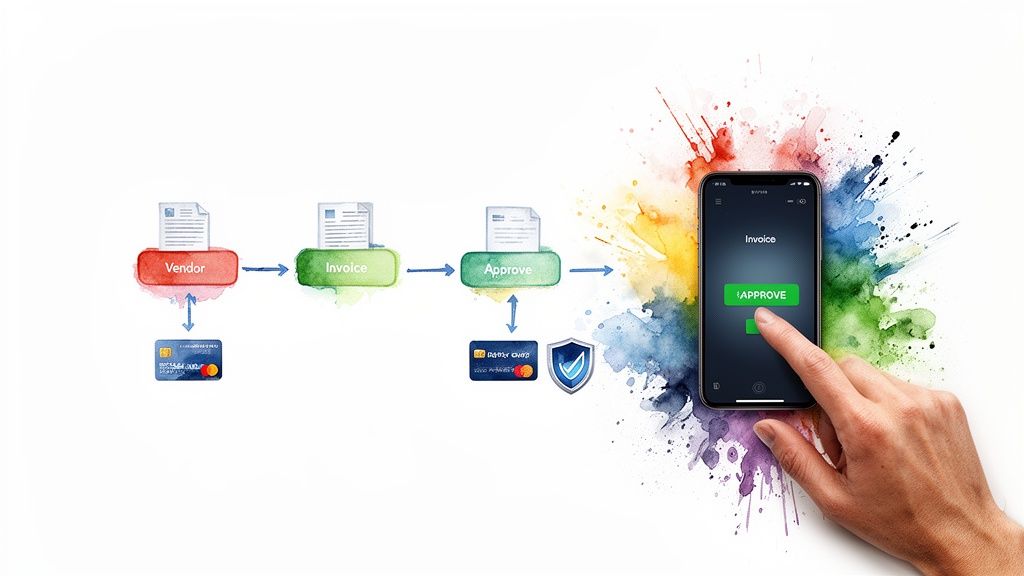
The first and most critical move is to create a single entry point for every single invoice, no matter where it comes from. Your goal is to kill the chaos of invoices hiding in different email inboxes, scattered across vendor portals, or sitting in a pile of mail.
Creating a Unified Digital Intake
Think of this as your one digital “front door.” Every invoice has to come through it.
You can set up a dedicated email address—something simple like [email protected]—and instruct all vendors to send their PDF invoices there. The right automation software will watch this inbox like a hawk, automatically grabbing attachments and using IDP to instantly capture all the important data.
Still getting paper in the mail? No problem. You just need a dead-simple scanning process to turn them into digital files. The key here is consistency. Every single invoice, regardless of its source, has to enter the same digital workflow. This simple change immediately centralizes your entire AP operation and gives you a complete, real-time view of all incoming liabilities.
Building Intelligent Approval Hierarchies
Once an invoice is digitized and in the system, it needs to find its way to the right person for approval. This is where you can finally say goodbye to manually chasing down signatures. Rule-based hierarchies do the heavy lifting for you.
You can design workflows that intelligently route invoices based on criteria you define. Most start with a few common-sense rules:
- By Amount: Invoices under $500 that match a PO can be auto-approved. Anything over $10,000 might need sequential sign-off from the department head and then the CFO.
- By Department: Marketing invoices get zapped straight to the CMO’s queue, while IT expenses land with the CTO. Simple.
- By Vendor: Got a few high-value or strategic vendors? You can create specific rules to prioritize their invoices for faster review and payment.
These automated routes mean no more bottlenecks. If an approver sits on an invoice for too long (say, 48 hours), the system can be configured to send reminders or even escalate it to their manager. The process never stalls.
Effective workflow design isn’t about replacing human judgment. It’s about getting the right information to the right person at the right time so they can make a quick, informed decision.
Automating Payment Runs and Capturing Discounts
With a fully approved invoice, the final piece of the puzzle is payment. This is where automation really starts to pay for itself, optimizing your cash flow and ensuring you never miss an early-payment discount again.
It’s shocking how much money is left on the table. Many vendors offer a 1-2% discount for paying within 10 days, and that adds up to serious savings over a year.
Your system can be set up to automatically schedule payments to hit that discount window perfectly, all while keeping your cash-on-hand goals in mind. It can also effortlessly manage different payment methods:
- ACH: The go-to for secure, low-cost electronic bank transfers.
- Virtual Cards: These single-use credit card numbers add a powerful layer of security and can even come with cash-back rebates.
- Wires: Best for large or international payments that need to settle immediately.
Automating payments eliminates the risk of late fees and, just as importantly, strengthens your vendor relationships. A supplier who always gets paid on time is a happy supplier.
Embedding Security and Fraud Detection
Security can’t be a feature you bolt on at the end. It has to be woven into the very fabric of your workflow from day one. Thankfully, modern AP automation tools come with built-in protections that are light-years ahead of manual checks.
Look for tools that offer automatic duplicate invoice detection, which will instantly flag any invoice that shares the same number, amount, and vendor as one already in the system.
Even better, your system can be configured to flag any changes to vendor bank account information. Instead of being processed automatically, it can trigger a multi-person verification process before a single dollar is sent to the new account. These automated controls are your vigilant gatekeepers, protecting the business from both internal mistakes and external fraud.
Building these intricate workflows can feel overwhelming, and getting the logic right is critical. If this part of the process seems daunting, partnering with a US-based outsourcing expert can provide the hands-on expertise you need. A dedicated team can design, implement, and even manage these workflows for you, making sure best practices are baked in from the start.
To talk about how we can build a workflow that fits your business, give us a call at +1 (310)800-1398 for a no-obligation consultation.
Measuring Success and Proving Your ROI
“If you can’t measure it, you can’t manage it.” It’s an old saying, but it’s gospel truth for a project like accounts payable automation. You’ve done the hard work of designing your new workflows. Now, before you flip the switch, you need to define exactly what a win looks like.
Without clear metrics, you’re flying blind. You won’t be able to show leadership the real, tangible benefits of all your effort. The right Key Performance Indicators (KPIs) are your project’s vital signs—they give you a real-time pulse on its health and transform vague promises into hard, quantifiable data.
Essential KPIs for AP Automation
To really get a feel for your success, focus on a handful of high-impact metrics that tell a clear story. Don’t get lost in a sea of data. Track the numbers that directly reflect efficiency, cost, and accuracy. These will be your proof points.
Here are the KPIs to watch:
- Cost Per Invoice: This is the ultimate bottom-line metric. To get it, just divide your total AP department costs—salaries, software, overhead—by the number of invoices you processed in a set period. Your goal here is simple: watch this number drop like a stone compared to your old manual baseline.
- Invoice Processing Time: Clock the average time it takes from the moment an invoice hits your inbox to when it’s fully approved and queued for payment. This KPI is a direct spotlight on the speed you gain by crushing manual bottlenecks.
- Touchless Processing Rate: What percentage of invoices sail from receipt to approval without a single person having to lay a finger on them? This is the gold standard. A high touchless rate is definitive proof that your automated rules and matching logic are firing on all cylinders.
- On-Time Payment Percentage: Keep an eye on the proportion of invoices you pay by their due date. This isn’t just about dodging late fees; it’s a reflection of healthier vendor relationships and much tighter cash flow management.
The numbers don’t lie. The ROI on AP automation can be staggering. We’ve seen organizations hit returns over 300% inside of three years, fueled by 60-80% cost reductions. Processing speeds get 70-90% faster. Just capturing early payment discounts alone can put 2-5% of an invoice’s value right back into your pocket. You can read more about these impressive AP automation metrics and see how they’re measured.
Calculating Your True Return on Investment
Figuring out your Return on Investment (ROI) is about more than just what you see on a spreadsheet. You’ve got to look at both the “hard” savings—the easily quantifiable cash—and the “soft” savings, which are the less tangible but equally valuable improvements. A complete ROI calculation gives leadership the full picture.
Hard Savings are the direct financial wins:
- Reduced Labor Costs: Less time wasted on manual data entry, chasing approvals, and fixing mistakes.
- Early Payment Discounts Captured: The total dollar value of discounts you snagged by paying suppliers early.
- Elimination of Late Fees: Money saved simply by paying every bill on time, every time.
- Lower Material Costs: Reduced spending on paper, printer ink, and physical file storage.
Soft Savings are where you see the strategic value pop:
- Increased Team Productivity: Your finance team is finally free from the grunt work. Now they can focus on strategic analysis, forecasting, and optimizing cash flow.
- Improved Vendor Relationships: Paying on time and having a transparent process builds incredible goodwill with suppliers, which can open the door to better terms down the road.
- Enhanced Data Accuracy: Automation slashes human error, which means you can finally trust your financial data for big-picture decision-making.
- Stronger Security and Compliance: Automated controls and digital audit trails are a fortress against fraud and make audit season a breeze.
If tracking all these metrics and building a bulletproof ROI case sounds like a project in itself, you’re not wrong. This is where partnering with a US-based expert can be a game-changer. They can implement the tracking tools from day one and deliver detailed performance reports, taking the measurement burden completely off your team.
Ready to prove the value of your AP automation project? Give us a call at +1 (310)800-1398.
Is Outsourcing AP Automation a Smarter Move? The US-Partner Advantage
For many companies, the fastest and most reliable path to world-class accounts payable automation isn’t a complex, DIY project—it’s a strategic partnership. While the technology itself is powerful, getting the implementation, management, and ongoing optimization right requires specific expertise.
Choosing to work with a US-based outsourcing partner can dramatically speed up your journey while cutting down the risks involved. It’s a way to sidestep the steep learning curve and the costly missteps that often come with trying to build everything from the ground up.
The Power of Being on the Same Page
When you’re overhauling a critical financial function, clear and seamless communication isn’t just nice to have; it’s non-negotiable. Partnering with a US-based team immediately eliminates the friction that comes with navigating huge time zone differences, language barriers, and cultural misunderstandings that can easily derail a project.
Your partner’s team works when you work. This means real-time collaboration, quick problem-solving, and a much deeper, more intuitive grasp of what you’re trying to achieve. They understand the nuances of how business gets done here, which leads to a smoother, more effective relationship from day one.
A US-based firm also brings an expert-level understanding of domestic regulations. They’re already fluent in US GAAP, IRS requirements, and state-specific tax laws, ensuring your automated processes are not just efficient but completely compliant.
Free Your Team to Do What They Do Best
One of the most compelling reasons to bring in an expert is the immediate impact it has on your internal team. Instead of getting bogged down managing a new software rollout or chasing down daily processing exceptions, your finance pros are freed up to focus on high-value work.
- Strategic Financial Planning: Analyzing spending trends to find real cost-saving opportunities.
- Cash Flow Optimization: Building sophisticated strategies to manage working capital more effectively.
- Budgeting and Forecasting: Providing the high-level insights that actually guide business growth.
This isn’t just about offloading tasks; it’s about reallocating your most valuable intellectual capital. A strategic partner handles the entire end-to-end AP function, allowing your team to drive the business forward instead of just keeping the lights on.
Get Best-in-Class Resources Without the Upfront Cost
Building a top-tier automated AP department in-house requires a massive upfront investment. You’re looking at expensive software licenses, hefty implementation fees, and the ongoing costs of training and retaining specialized staff. It adds up fast.
A partnership model flips this financial equation completely. You get immediate access to enterprise-grade technology and a team of seasoned professionals, all for a predictable operational expense. This approach delivers superior results without the capital hit, making sophisticated automation accessible even for growing businesses.
It’s the smartest way to get the benefits of a fully optimized AP department without the financial burden and implementation headaches. This gives you the agility to scale your AP processing up or down as your business needs change, ensuring you only pay for what you need. A dedicated team can design, implement, and manage your entire automated AP function, delivering measurable results faster than you ever could alone.
At NineArchs, our business process outsourcing (BPO) and virtual assistant services are designed to manage your entire automated AP function, from technology setup to daily execution. To see how a tailored solution can deliver AP automation results faster and more cost-effectively, contact us for a consultation at +1 (310)800-1398.