
Your team knows the pattern. A claim comes in by email. Someone downloads an attachment, renames a file, forwards it to operations, then asks finance to check eligibility or coverage. A week later, the customer wants an update and nobody is fully sure where the claim sits. The problem isn’t only delay. It’s duplicate work, avoidable errors, and a customer experience that feels disorganized.
That’s why claims management solutions matter. They give businesses a structured way to capture, route, review, pay, and report on claims without relying on scattered spreadsheets, inboxes, and tribal knowledge. For a growing company, that shift can feel less like buying software and more like installing an operating system for a messy process.
Many guides stop at large healthcare organizations. That misses a big part of the market. Smaller firms and non-healthcare sectors such as insurance, logistics, and service businesses often face the same operational headaches, but with leaner teams, fewer internal IT resources, and less tolerance for long implementation cycles. They need claims management solutions that can scale without forcing an all-at-once overhaul.
Understanding Claims Management Solutions
At the simplest level, claims management solutions are systems that help a business handle the full life of a claim. That starts when a customer, provider, partner, or employee reports an issue. It ends when the organization settles the claim, closes the file, and learns from the data.
That definition sounds straightforward. In practice, the value comes from replacing fragmented work. Instead of people manually re-entering data in multiple places, the system keeps one record moving through a controlled workflow. Instead of relying on memory, it uses rules, alerts, and task routing. Instead of treating every claim like a one-off event, it turns the process into something repeatable and measurable.
Why this has become a business priority
The market is expanding because organizations are under pressure to process claims faster and with fewer errors. The claims management solutions market is projected to grow at a compound annual growth rate of 10% during the forecast period, driven by rising patient volumes, denials management priorities, and a shift toward cloud platforms, according to claims management market analysis from HTF Market Intelligence.
That growth reflects a broader reality. Claims teams aren’t being asked only to “process paperwork” anymore. Leaders want cleaner operations, better visibility, and more consistent service.
A claims process usually breaks down in the same places. Intake is inconsistent, handoffs are slow, and reporting arrives too late to improve the next decision.
For business leaders, that changes the conversation. Claims management solutions aren’t just about administration. They affect cash flow, labor efficiency, audit readiness, and customer trust.
What businesses often misunderstand
Many readers hear “claims platform” and assume it’s just a digital filing cabinet. It isn’t. A modern system acts more like a control tower.
It can:
- Standardize intake so every claim starts with the right information
- Route work automatically so simple claims don’t sit in the same queue as complex ones
- Track status clearly so staff and customers don’t chase updates manually
- Create usable reporting so leadership can see patterns instead of anecdotes
That last point matters. When leaders can see where claims stall, they can improve staffing, process rules, and service expectations. That’s one reason customer operations and claims operations are increasingly connected. If you’re also thinking about service responsiveness more broadly, these Halo AI customer service insights offer a useful lens on how faster, more structured support systems shape customer expectations.
Why SMEs and non-healthcare teams should care
Large enterprises can absorb inefficiency for longer than smaller organizations can. An SME often feels every manual workaround immediately. One overloaded operations lead, one missing document, or one unclear approval path can create a chain reaction.
That’s why the right claims management solution isn’t necessarily the biggest platform. It’s the one that fits your workflow, integrates with what you already use, and gives your team enough automation to remove friction without creating a maintenance burden they can’t support.
The Core Workflow From Intake to Reporting
A good way to understand claims management solutions is to think of them as a digital assembly line. Each claim moves through a series of stations. At every station, the system either gathers information, makes a decision, assigns work, or records an outcome. When that assembly line is designed well, the claim keeps moving. When it isn’t, files pile up between steps.

Intake
Intake is where the claim enters the system. In a manual environment, this might happen through email, phone calls, PDFs, or web forms that still require staff to retype details.
A modern intake process captures the claim once and structures the information immediately. That sounds basic, but it prevents many downstream problems. If a claimant uploads the wrong document, omits a required field, or enters an invalid policy or account number, the system can flag it early instead of letting the error travel deeper into the workflow.
A simple example helps. In logistics, a damaged shipment claim often begins with photos, delivery details, timestamps, and proof of receipt. If that information arrives in separate messages, someone has to piece it together. If intake is standardized, the claim begins with one complete digital file.
Triage
Once the claim is captured, triage decides where it should go. This is the sorting station.
Some claims are simple and low risk. Others involve exceptions, potential fraud concerns, missing documentation, or regulatory review. A modern system uses rules to direct each file to the right queue based on claim type, amount, geography, urgency, or other business logic.
Without triage, teams treat all claims as equal until a person reads through them manually. That wastes skilled time on low-complexity work while more sensitive cases wait.
Practical rule: Don’t design triage around departments first. Design it around claim complexity, risk, and response urgency.
For organizations that still rely heavily on paper records or fragmented files, support services such as claims record retrieval workflows can help close one of the most common operational gaps between intake and review.
Adjudication
Adjudication is the decision phase. During this phase, the organization checks the facts, validates coverage or eligibility, reviews documents, confirms policy or contract terms, and determines what should happen next.
This stage often causes confusion because it sounds more technical than it is. In plain language, adjudication answers three questions:
- Is this claim valid?
- Is the file complete enough to decide?
- What outcome is appropriate under the rules?
In a manual process, adjudication depends heavily on email follow-ups, spreadsheet trackers, and the judgment of individual staff members. In a stronger system, the platform supports decisions with workflows, checklists, history, and data from connected systems.
That support matters because embedded AI and advanced analytics in claims management systems can lead to 40% reductions in processing times and up to 80% automation of routine tasks like document verification and correspondence, as described in Riskonnect’s overview of claims system capabilities. The business meaning is simple. Teams spend less time on repetitive validation and more time on exceptions that need judgment.
Payment and settlement
After a claim is approved, the process moves to payment or settlement. In many businesses, this stage still breaks because claims operations and finance operations don’t share the same rhythm.
A claims management solution helps by linking approved outcomes to payment instructions, audit trails, status updates, and required approvals. It reduces the chance that a claim is approved in one system but sits idle before disbursement.
Customer experience becomes very visible. A customer may tolerate a review period if communication is clear. They become frustrated when the decision is made but payment still feels uncertain.
Reporting and operational feedback
The last station is reporting, and it’s often the most undervalued. Reporting isn’t just a dashboard for executives. It’s the feedback loop that tells the business where the assembly line is slowing down.
Useful reporting can show:
- Queue bottlenecks that reveal staffing or rule issues
- Rework patterns that point to poor intake quality
- Exception trends that suggest a policy, training, or documentation problem
- Settlement timing that affects customer satisfaction and cash planning
Some organizations think reporting comes after automation. In reality, it should shape automation. If you don’t know where claims are failing today, you’ll automate the wrong steps tomorrow.
How the workflow works as one system
These five stages matter individually, but their full value appears when they work together. Intake improves triage. Better triage improves adjudication. Cleaner adjudication speeds payment. Better reporting improves the next round of intake rules.
That’s why claims management solutions should be evaluated as end-to-end workflows, not isolated features. You’re not buying a faster form. You’re building a process that keeps claims moving with fewer delays, fewer errors, and much less dependence on heroic manual effort.
Key Technology and Deployment Models
A claims workflow becomes effective when the underlying technology is practical, not flashy. Most business leaders don’t need a deep engineering lecture. They need to know what each technology does, why it matters, and what kind of deployment model fits their operating reality.
The technologies doing the heavy lifting
Think of the stack in plain terms. One layer stores and moves information. Another applies rules. Another handles repetitive actions. Another connects systems that would otherwise stay isolated.
Here’s what that usually looks like:
- Cloud computing gives teams access to claims data, workflows, and updates without depending on a single office location or a heavy on-site server footprint.
- AI and machine learning help classify claims, detect anomalies, extract information from documents, and support faster decisions.
- Robotic process automation handles repetitive digital tasks such as moving data from one field or system to another when full integration isn’t available.
- APIs act like connectors. They let the claims platform exchange data with finance systems, policy systems, CRMs, document repositories, or customer portals.
A helpful mental model is this. AI is the pattern-recognition layer. RPA is the repetitive labor layer. APIs are the connective tissue. Cloud is the delivery model that makes the whole environment easier to access and maintain.
Why FNOL matters so much
One technical term appears often in claims operations: First Notice of Loss, or FNOL. If you’re outside insurance, read it as the first formal report that triggers the claim. It’s the front door.
That front door has outsized impact. AI-powered FNOL can reduce claim intake time by up to 60% by replacing manual handling with mobile-first question flows and automated data capture, according to this claims feature overview from SimpleSolve. The practical takeaway is that better intake doesn’t just save time at the start. It reduces errors that would otherwise slow every later step.
A business example makes this easier. If a field service company receives equipment damage claims, a mobile intake flow can prompt the claimant for the exact photos, serial details, timestamps, and incident notes required. That beats a back-and-forth chain of emails asking for missing information after the fact.
For organizations trying to support faster front-line decisions during these moments, tools and practices related to real-time agent assistance for operational teams can complement claims workflows by helping staff respond consistently during early claim interactions.
Deployment is a strategic choice
Choosing a deployment model is not just an IT decision. It affects cost, control, speed of rollout, and how much internal support your team needs.
Comparison of Claims Solution Deployment Models
| Model | Best For | Cost Structure | Control & Customization | Maintenance |
|---|---|---|---|---|
| SaaS | Businesses that want faster rollout and lighter internal IT burden | Subscription-based operating expense | Moderate control, usually configuration over deep custom build | Vendor handles most updates and infrastructure |
| On-Premise | Organizations with strict internal hosting requirements or legacy architecture dependencies | Higher upfront capital and ongoing support costs | Highest control, often deeper customization | Internal team manages infrastructure, upgrades, and support |
| Hybrid | Firms balancing existing systems with newer cloud capabilities | Mixed cost profile, usually phased over time | Flexible, can preserve critical legacy workflows while modernizing others | Shared responsibility between internal team and provider |
How to choose without overcomplicating it
A simple rule works well. If your team is small, your processes are changing, and you want speed, SaaS is often easier to operationalize. If you have highly specific control requirements and a mature internal technology team, on-premise may still fit. If you’re in transition and can’t replace everything at once, hybrid tends to be the most realistic path.
The best deployment model is usually the one your team can actually support after implementation, not the one that looks most powerful in a demo.
This matters especially for SMEs and non-healthcare businesses. They often don’t fail because they chose weak software. They struggle because they chose a model that assumed more integration capacity, governance, or internal support than they really had.
The Smart Way to Scale With BPO and Outsourcing
Technology can organize claims work. It can’t eliminate the need for human judgment, exception handling, customer follow-up, and process discipline. That’s where outsourcing becomes practical, not optional.
Many leaders assume outsourcing is mainly about lower labor cost. In claims operations, the better reason is operational resilience. A claims platform can automate routing, verification, and reporting, but people still need to manage edge cases, reconcile discrepancies, review exceptions, monitor queues, and keep service levels from slipping during volume spikes.

Why integrated support is gaining traction
The demand for blended models is growing. The global healthcare claims management market was valued at USD 21.64 billion in 2021 and is projected to reach USD 136.67 billion by 2030, and within that market, integrated solutions held the dominant share, according to Grand View Research’s healthcare claims management market outlook. That points to a clear preference for approaches that combine technology with operational service, not software in isolation.
This idea applies well beyond healthcare. In insurance, logistics, and service operations, leaders often discover that the system works fine for standard claims but breaks under real-world pressure. A document is unclear. A customer gives incomplete details. A claim crosses teams. A queue spikes unexpectedly. The workflow needs people who know how to intervene cleanly.
What outsourcing actually covers
A strong BPO model can support claims operations in several ways:
- Queue management keeps new claims, pending reviews, and follow-up tasks from stagnating
- Document handling helps index, validate, and organize incoming records
- Exception processing routes unusual or incomplete cases to trained staff instead of leaving them unresolved
- Customer communication support gives claimants timely updates without overloading your internal team
- Back-office reconciliation helps approved outcomes move through finance and compliance steps with less friction
For organizations exploring this model in an insurance context, insurance services BPO support reflects the kind of operational extension many firms now use to stabilize workloads.
Why a US-based outsourcing partner can make a difference
The author brief asked for this directly, and it’s worth stating plainly. There are real benefits to using an outsourcing partner from the USA.
First, communication tends to be easier. Shared business hours shorten decision loops, especially when claims need urgent review or customer-facing updates. Second, compliance conversations are often smoother when your provider is accustomed to US regulatory expectations, documentation standards, and audit readiness. Third, service quality improves when language nuance and customer expectations are well understood.
That doesn’t mean every task must be performed in one location. It means your operating model benefits from clear US-based accountability, governance, and client communication. For businesses with sensitive claims workflows, that oversight can reduce confusion during implementation and improve consistency after go-live.
Claims operations rarely fail because nobody worked hard. They fail because ownership is split, handoffs are vague, and no one is watching the full process every day.
The hybrid model that fits SMEs best
SMEs often need a middle path. They can’t justify a massive internal claims department, but they also can’t leave mission-critical workflows unmanaged. That’s where a hybrid model works well.
The technology handles repeatable work:
- structured intake
- rules-based routing
- status tracking
- dashboard reporting
The BPO layer handles variable work:
- document exceptions
- manual follow-up
- claim clarification
- escalations
- operational coverage during peak periods
That mix gives smaller organizations something they usually struggle to build alone: scale without bureaucracy. It also reduces the risk of buying a platform that technically works but operationally underperforms because no one owns the day-to-day workflow after launch.
Your Roadmap From Selection to ROI
Many claims projects become harder than they need to be because leaders start with product features instead of operating requirements. The better path is to begin with the work itself. What kinds of claims do you process? Where do delays happen? Which handoffs create rework? Which systems already hold critical data?
That matters even more for smaller firms. A key challenge for SMEs is integration complexity with existing systems, and many don’t have the in-house IT capacity to realize the full potential of automation without outside support, as discussed in FinThrive’s guidance on seamless claims management characteristics.
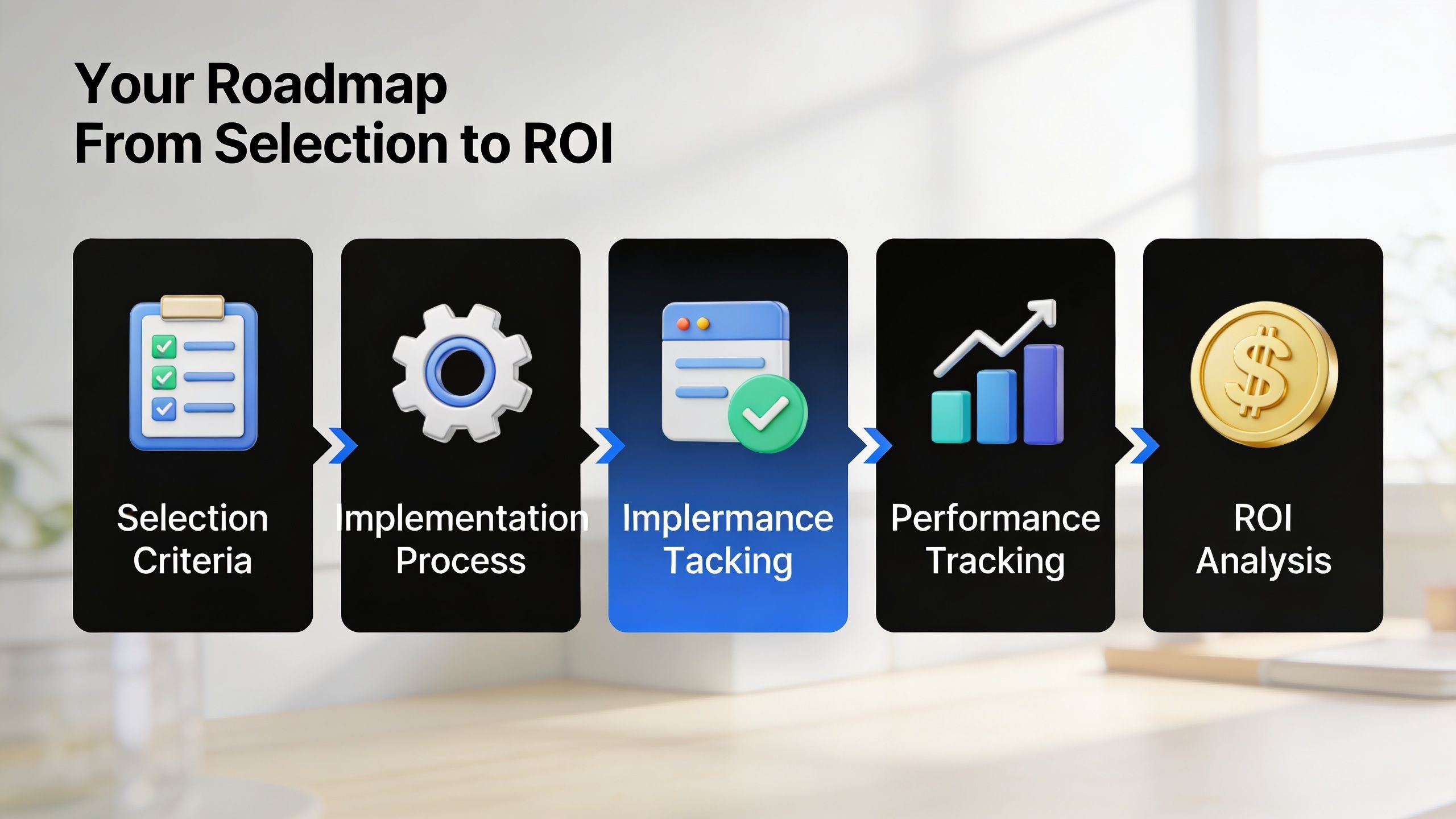
Step one, define selection criteria that match reality
A useful shortlist should go beyond “Does it have automation?” Nearly every modern platform claims that.
Focus on practical questions:
- Integration fit. Can it connect to your finance, customer, policy, or operational systems without heavy custom work?
- Workflow flexibility. Can your team adjust rules, fields, and routing as processes evolve?
- Visibility. Will managers get meaningful reporting on queue age, exceptions, and throughput?
- Scalability. Can the process handle higher volumes without forcing a rebuild?
- Support model. Who manages implementation, training, exception handling, and process tuning after launch?
For SMEs, that last point is often the difference between adoption and abandonment. A system can be technically strong and still fail if the business can’t support it operationally.
Step two, implement in phases
Claims leaders sometimes think they need a “big bang” rollout. Usually they don’t. A phased implementation lowers risk and gives the team time to adjust.
A practical sequence often looks like this:
Map the current process
Document how claims enter, who touches them, what approvals exist, and where delays occur. Don’t optimize yet. Observe first.Choose one claim type or business unit
Start with a workflow that matters but won’t paralyze the organization if adjustments are needed.Standardize intake and triage first
These two steps often create the biggest operational relief because they stop bad data and poor routing from spreading.Add adjudication rules and reporting
Once the front end is cleaner, decision support and visibility become much easier to trust.Extend into payment, customer updates, and exception management
That’s where the process starts to feel complete.
Decision lens: If your team is resource-constrained, don’t chase full transformation on day one. Fix the handoffs that create the most rework.
Step three, prepare for the integration work nobody likes talking about
Integration is where many projects stall. Not because integration is impossible, but because businesses underestimate how many small decisions it requires.
You’ll need to answer questions such as:
- Which system is the source of truth for customer or policy data?
- What triggers a claim record to open?
- How should duplicate claims be identified?
- Which documents are required before review can begin?
- Who owns exception queues when data doesn’t sync correctly?
These aren’t side questions. They are the implementation.
For non-healthcare sectors, this is especially important because many available examples focus on healthcare billing environments. A logistics company, warranty provider, field service operator, or specialty insurer may need different workflows, different approval logic, and different customer communications. The system has to match the business model, not the other way around.
Step four, build an ROI case that leadership can trust
You don’t need invented numbers to build a business case. You need a credible framework.
Look at four categories of value:
Labor efficiency
How much staff time is spent on re-entry, chasing missing documents, status checks, and manual routing?Error reduction
What does rework cost when a claim is delayed because of incomplete intake or inconsistent review?Cycle-time improvement
Faster claims handling can improve customer satisfaction and reduce the operational drag of open files.Management visibility
Better reporting helps leaders fix bottlenecks, allocate staff more effectively, and avoid carrying hidden inefficiencies month after month.
A practical ROI model compares your current-state cost of handling claims against the expected future-state process. Even if you begin with directional estimates, the exercise is valuable because it surfaces where the business is absorbing hidden cost today.
Step five, plan for adoption, not just deployment
A claims system doesn’t create value on launch day. It creates value when staff use it correctly and leadership acts on the reporting.
That means:
- train by role, not with one generic session
- document exception paths clearly
- review workflow data early and often
- assign ownership for system changes
- keep process governance active after go-live
The businesses that see lasting gains treat claims management solutions as an operating discipline. They don’t install the platform and walk away.
Transforming Claims and Answering Your Questions
A manual claims process usually grows messy in slow motion. One workaround becomes a habit. One spreadsheet becomes three. One inbox becomes the unofficial system of record. By the time leadership decides to fix it, the problem isn’t only speed. It’s visibility, consistency, accountability, and customer confidence.
That’s why modern claims management solutions matter. They bring structure to intake, clarity to routing, discipline to decisions, and reporting to the end-to-end workflow. For many businesses, especially SMEs and firms outside the standard healthcare use cases, the smartest model isn’t software alone. It’s a mix of technology and human support that keeps the process running when real-world exceptions show up.
Common questions leaders ask
Is claims management the same as revenue cycle management
Not exactly. Claims management focuses on the life of the claim itself, from intake through review, payment, and reporting. Revenue cycle management is broader and often includes additional financial processes before and after the claim.
Can a smaller business roll this out in stages
Yes. In many cases, that’s the better approach. Start with one workflow, stabilize intake and routing, then expand into more complex steps as the team gains confidence.
Do non-healthcare businesses really need claims management solutions
If your organization handles recurring claims, disputes, reimbursements, damage reports, service incidents, or settlement workflows, the underlying need is similar. You need structured intake, controlled review, timely resolution, and usable reporting.
What usually causes implementation trouble
Integration decisions, unclear ownership, and underestimating exception handling cause the most trouble. The software may work fine, but the workflow fails if nobody has defined who manages the edge cases.
Why consider a US-based outsourcing partner
A US-based partner can improve communication, business-hour alignment, compliance coordination, and service consistency. That’s especially helpful when claims work touches sensitive data, regulated processes, or customer-facing interactions.
The strongest claims operation is not the one with the most software. It’s the one that makes good decisions quickly, keeps work visible, and handles exceptions without chaos.
If your claims process still depends on emails, spreadsheets, and manual follow-up, there’s usually more opportunity there than leaders first assume.
NineArchs LLC helps businesses modernize claims-related operations with a practical blend of technology, IT support, and outsourced back-office capacity. If you need a scalable approach for claims workflows, integrations, cloud delivery, or BPO support, contact the team at (310)800-1398 / (949) 861-1804 or email info@ninearchs.com.