
Your team is shipping slower than the business needs. Releases take weeks because every change touches a brittle application. Infrastructure costs stay high because old systems need constant care. Product leaders want new features, finance wants predictability, and engineering is stuck keeping aging platforms alive.
That’s the point where a cloud modernization strategy stops being a technical nice-to-have and becomes an operating decision. For large enterprises, there are plenty of high-level frameworks. For SMEs and startups, the challenge is different. You need a path that lowers risk, protects cash, and still creates room to grow.
Modernization works when leaders treat it as a portfolio of choices, not a one-time migration event. Some systems should move fast with minimal change. Others need structural work. A few should be retired altogether. The right strategy helps you spend effort where it changes business outcomes, not where it only creates architectural theater.
What Is a Cloud Modernization Strategy
A company can move servers out of a data center and still keep all the same problems. Slow deployments. Hard-to-scale applications. Tight coupling between business logic and infrastructure. Expensive maintenance. That’s migration without modernization.
A cloud modernization strategy is the plan for changing applications, data, and operating practices so they work better in a cloud environment, not just inside one. It focuses on how systems are built, deployed, secured, and improved over time. That usually means choosing where to rehost, where to replatform, where to refactor, and where to stop investing.
The practical distinction matters. A lift-and-shift move is like relocating an old factory. You changed the address. You didn’t redesign the assembly line. Modernization changes the assembly line so teams can ship faster, scale more cleanly, and reduce operational drag.
Two resources can help sharpen that thinking. A broad Cloud Modernization Strategy playbook gives a useful overview of planning patterns, and this summary of cloud computing benefits for business is a good refresher on why leaders make the move in the first place.
What a real strategy includes
A credible modernization plan usually covers these decisions:
- Application treatment: Decide which workloads should be moved as-is, lightly reshaped, redesigned, or retired.
- Data direction: Identify which databases need modernization, which integrations are fragile, and where data access creates bottlenecks.
- Delivery model: Define how teams will deploy changes, test safely, and reduce release friction.
- Operating controls: Set guardrails for security, governance, and cost before sprawl starts.
Practical rule: If the only outcome is “our servers are now in the cloud,” you have a hosting change, not a modernization strategy.
The main shift is organizational. Technology stops being a fixed cost you tolerate and starts becoming a system the business can adapt.
Key Business Drivers for Modernizing to the Cloud
A CTO usually does not get budget for modernization because the architecture is outdated. Budget shows up when revenue is delayed by slow releases, margins are squeezed by waste, or a fragile system puts customer experience at risk. That is why the strongest cloud programs start with business pressure the leadership team can already feel.
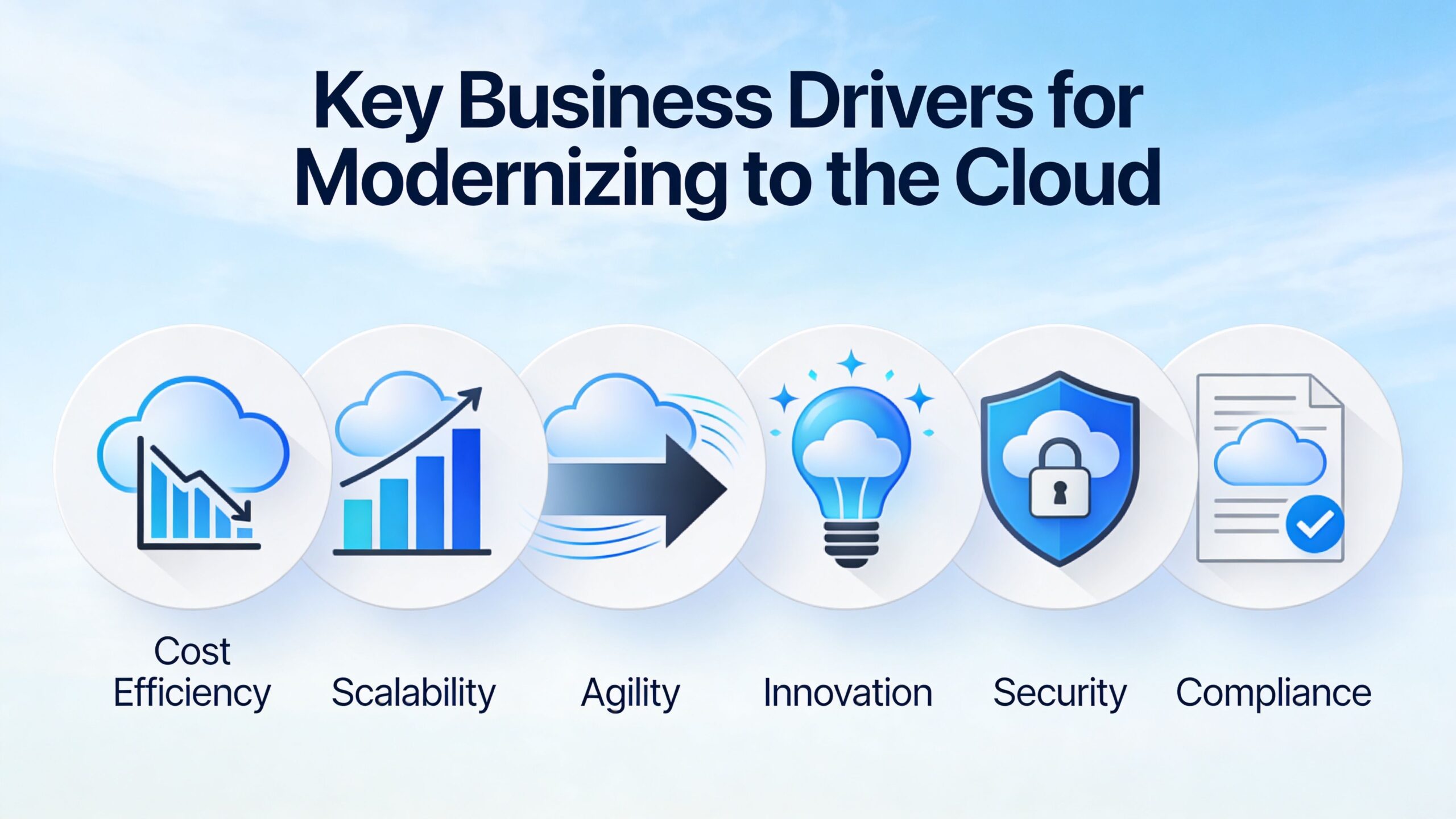
For smaller companies, the case is often sharper than it is in large enterprises. An SME or startup cannot afford a long, theory-heavy transformation program. It needs a phased plan that reduces operational drag now, protects cash, and creates room to grow. That is also why many teams bring in a US-based partner such as NineArchs. They get cloud, security, and platform expertise without carrying the cost of a full in-house modernization bench.
A useful executive-level summary of the business benefits of cloud migration can help frame that conversation internally.
Agility affects revenue, not just engineering speed
Slow delivery has a direct business cost. A product change ships late. A customer-requested integration sits in backlog because the release process is brittle. A sales team commits to a timeline that operations cannot support.
Modernization reduces that friction by shortening the path from idea to production. Teams can release smaller changes more often, test with less risk, and correct course before a missed assumption turns into a costly quarter. For leadership, the point is simple. Faster delivery improves responsiveness, and responsiveness improves competitiveness.
This matters most in companies where a few product decisions can change the year.
Cost becomes something you can manage
Legacy environments often look cheaper than they are. The bill is spread across hardware renewals, contractor support, duplicate environments, idle capacity, and the time senior engineers spend keeping aging systems alive. None of that creates customer value.
Cloud modernization gives finance and technology leaders better control over where money goes. Capacity can track actual demand more closely. Old services can be retired instead of passively kept in operation. Teams can choose managed services where it makes sense, and keep tighter control where compliance or performance requires it.
There is a trade-off here. Managed platforms can reduce operational effort, but they may increase short-term service costs or require code changes. Good strategy weighs that trade-off against the labor cost, reliability risk, and opportunity cost of doing nothing.
Resilience lowers business risk
Many legacy systems depend on memory, workarounds, and a few people who know how everything fits together. That model works until one of those people leaves, a server fails at the wrong time, or a routine update turns into an outage.
Modernization improves resilience by making recovery, scaling, and operations more predictable. Systems are easier to observe. Recovery steps are documented and automated more often. Capacity can expand during demand spikes without the same level of manual intervention.
For an SME, resilience is not a nice-to-have. One serious outage can hit revenue, reputation, and customer trust in the same week.
When teams avoid touching a system because they are afraid of breaking it, the business is already paying a risk premium.
Innovation gets blocked by old foundations
AI initiatives, automation projects, modern analytics, and partner integrations all depend on architecture that can support change. If data is scattered across old systems and every integration requires custom work, new initiatives slow down before they prove value.
That is why smart modernization programs focus on removing constraints first. Clean interfaces, more reliable deployment patterns, and better access to data make experimentation cheaper. Cheaper experimentation leads to better decisions because teams can validate ideas with less time and less exposure.
For startups and growing SMEs, this phased approach is usually the right one. Modernize the systems that constrain delivery, cost, or resilience first. Bring in specialized help where the in-house team is thin. Then expand from a stronger base instead of trying to rebuild everything at once.
The business outcome is practical. Modernized companies adapt faster, spend with more discipline, and create less operational drag as they grow.
Choosing Your Modernization Path The 7 R's Framework
Not every workload deserves the same treatment. That’s where the 7 R's framework is useful. It forces discipline. Instead of declaring that every application must become cloud-native, you classify each workload according to business value, technical condition, and acceptable risk.
The simplest analogy is moving to a new building.
- Rehost is moving your furniture exactly as it is.
- Replatform is moving in and replacing a few major appliances so the space works better.
- Refactor is opening walls and rebuilding the kitchen because the old layout no longer supports how you live.
The framework only works if you assess workloads systematically. The Microsoft guidance on planning cloud modernization emphasizes structured workload classification. It also notes that replatform can move from IaaS to PaaS with minimal code changes, while refactor takes much more developer effort but improves long-term performance and maintainability.
If you’re mapping old systems to practical treatments, this guide on how to modernize legacy applications is a useful companion read.
The 7 R's in plain English
Some of these paths are tactical. Some are strategic. Good architecture teams use all of them.
| Strategy | Description | Effort & Cost | Key Benefit | Best For |
|---|---|---|---|---|
| Rehost | Move the application with minimal change | Low to moderate | Fast exit from legacy infrastructure | Stable apps that need relocation more than redesign |
| Replatform | Make limited platform-level improvements without major code rewrite | Moderate | Better operational efficiency with controlled risk | Low-complexity apps that can benefit from managed services |
| Repurchase | Replace the legacy system with a cloud-based product | Moderate | Offload maintenance of commodity capabilities | Standard business functions that don’t justify custom rebuilds |
| Refactor | Change the codebase to better fit cloud-native patterns | High | Better maintainability and long-term agility | Strategic apps with growth potential |
| Rearchitect | Redesign core application structure and interactions | High to very high | Stronger scalability, resilience, and flexibility | Business-critical systems constrained by monolithic design |
| Retain | Keep the workload where it is for now | Low immediate spend | Avoids forcing change before the business case exists | Systems with low urgency or complex external constraints |
| Retire | Decommission the workload | Low to moderate | Removes cost and operational clutter | Redundant, unused, or low-value systems |
How to choose without overengineering
The mistake I see most often is treating modernization as a purity test. Teams assume the “best” answer is always refactoring or rearchitecting. That burns time, budget, and political capital.
Use these filters instead:
- Business criticality: If the system directly affects revenue, customer experience, or compliance, it deserves a higher standard of design.
- Change frequency: If teams change the app often, modernization investment usually pays back faster.
- Technical friction: If deployments are brittle, environments are hard to replicate, or scaling is awkward, replatforming or refactoring may be justified.
- Remaining shelf life: If the application may be retired in the near future, don’t fund a heroic redesign.
- Dependency profile: Tightly coupled systems with many upstream and downstream ties need more caution and sequencing.
What works for SMEs and startups
Smaller teams often benefit most from replatforming first. It gives operational gains without demanding a complete rewrite. That matters when engineering headcount is limited and every sprint has to protect product delivery.
Refactoring has a place, but usually for a narrower set of applications. If a core product is central to differentiation, then investing in code and architecture quality makes sense. If an internal tool just needs to run reliably, a lighter touch is often the smart move.
The right answer isn't the most modern option. It's the option that improves the business without creating avoidable delivery risk.
A practical portfolio view
A healthy application portfolio usually ends up mixed.
One customer-facing system might be refactored because it drives growth. Several back-office workloads might be replatformed because they need operational improvement, not reinvention. A few old tools should be retained until contracts expire or dependencies unwind. Others should be retired and never discussed again.
That’s how a cloud modernization strategy becomes manageable. You stop asking, “How do we modernize everything?” and start asking, “What’s the right treatment for each workload?”
Building Your Phased Implementation Roadmap
A roadmap breaks the work into decisions a leadership team can fund and an engineering team can deliver. Without that structure, modernization turns into a queue of worthy ideas that never make it to production because scope, staffing, and risk all stay fuzzy.
For SMEs and startups, the roadmap matters even more. Large enterprises can absorb some wasted motion. Smaller companies usually cannot. They need a sequence that protects cash, avoids disruption, and shows measurable progress early. That is why phased modernization works well for lean teams, especially when they use a US-based partner such as NineArchs to add cloud architecture, migration, and delivery skills without carrying a full-time bench.
Phase 1 assess and discover
Start with a factual inventory of production workloads, owners, integrations, and operational pain points. This is not paperwork. It is risk reduction.
A good discovery pass answers four basic questions:
- Why does this workload exist? Tie each system to a business function, revenue stream, or internal process.
- What depends on it? Map databases, APIs, scheduled jobs, identity systems, and user groups.
- Where does it hurt today? Capture outages, slow releases, manual work, and recurring support burden.
- What is the failure cost? Define business impact if the service degrades, goes down, or mishandles data.
Teams often rush through this phase because it does not look like delivery. In practice, hidden complexity frequently surfaces. A small internal application might be easy to move. A similar-looking system might have brittle integrations, unsupported libraries, or compliance requirements that change the timeline completely.
Phase 2 prioritize and plan
Once the inventory is credible, rank workloads by business value, migration effort, and delivery risk. The first wave should build confidence and teach repeatable patterns. It should not become a rescue mission for the hardest application in the estate.
The best early candidates usually have a contained blast radius, clear ownership, and visible upside. That upside might be lower infrastructure overhead, faster release cycles, fewer support tickets, or less dependence on aging servers.
This is also the point where budget discipline matters. A phased roadmap gives leadership room to release funding in stages instead of approving a large transformation upfront. That is a better fit for growing companies that need to protect runway while still improving their platform.
The first milestone should prove the operating model, not test the organization’s tolerance for pain.
Phase 3 pilot and validate
Choose one workload and run the full motion. Migrate or modernize it, operate it under real conditions, measure the outcome, and document what the team learned.
A useful pilot tests more than the application itself. It checks deployment steps, rollback procedures, security reviews, monitoring coverage, incident ownership, and communication with business stakeholders. If any of those pieces are weak, scaling the program will only spread the weakness.
For organizations building internal cloud capability, the pilot is also a practical training ground. Teams responsible for identity, logging, and controls often benefit from structured learning during this stage. Resources such as the AWS Certified Security Specialty study guide can support that upskilling, especially when security responsibilities are expanding faster than hiring plans.
Phase 4 scale and optimize
After the pilot succeeds, repeat what worked. Do not reinvent the process for every application.
Standard templates, landing zone patterns, CI/CD approaches, environment conventions, and review checklists reduce cost and delivery risk over time. In this context, an external partner can provide disproportionate value. NineArchs, for example, can help teams codify proven patterns, fill specialist gaps, and keep momentum high while internal staff stay focused on product delivery and core operations.
Scaling usually includes a mix of activities:
- Apply proven patterns to similar workloads
- Standardize delivery workflows so releases become predictable
- Tune capacity and spending based on actual usage
- Retire legacy components once confidence in the new setup is established
What a practical roadmap looks like
A good roadmap is not long. It is clear.
| Roadmap phase | Primary question | Typical output |
|---|---|---|
| Assess and discover | What do we run, who owns it, and where is the risk? | Workload inventory, dependency map, ownership list |
| Prioritize and plan | What should move first, and what business result should it produce? | Sequenced backlog, success metrics, risk-based plan |
| Pilot and validate | Does the approach work in production and can the team support it? | Modernized pilot, operating lessons, refined delivery process |
| Scale and optimize | How do we repeat the result at lower cost and lower risk? | Reusable patterns, rollout plan, retirement list for legacy assets |
The benefit of a phased roadmap is optionality. Leadership can commit to the next tranche of work based on evidence, not optimism. Engineering teams get a manageable path. The business gets modernization that improves agility and cost structure without betting the company on a single large program.
Ensuring Success with Governance Security and Cost Control
A modernization program can look healthy on a dashboard while subtly creating new operational risk. Teams ship faster, spin up environments in minutes, and experiment more freely. Then an incident hits, the monthly bill jumps, or an audit exposes basic gaps in access control. The pattern is common, especially in smaller companies that do not have a dedicated platform engineering, security, and FinOps function in place from day one.
The fix is straightforward in concept. Build governance, security, and cost control into the operating model early, while the environment is still small enough to shape. For SMEs and startups, that usually means choosing a few firm standards that can be enforced consistently rather than writing enterprise-style policy documents no one follows.
Governance sets the rules that keep cloud growth manageable
Good governance gives teams room to move without letting every squad invent its own platform. It defines account structure, environment separation, tagging, ownership, access boundaries, and the minimum checks required before production changes go live.
This matters because cloud drift starts small. One team creates resources outside the standard pattern. Another skips tagging because the deadline is tight. Six months later, costs are hard to attribute, incident response is slower, and architecture decisions vary by team rather than by business need.
For a budget-conscious company, lightweight governance usually works better than heavy approval chains. Start with a few controls that remove recurring friction:
- Clear ownership for every workload, budget, and production service
- Standard account and environment patterns so teams are not debating structure each time
- Mandatory tagging for cost allocation, compliance, and lifecycle management
- Policy-based guardrails for risky actions such as public exposure or overly broad permissions
- Documented exceptions so one-off decisions do not become accidental standards
This is often where an external partner adds real value. A US-based team like NineArchs can help set practical guardrails based on proven delivery patterns, without forcing a startup or mid-sized business to hire a full internal governance function before it is needed.
Security belongs inside delivery, not beside it
Security controls that depend on manual review at the end of a sprint rarely hold up under delivery pressure. Teams need secure defaults in the path they already use. That includes identity design, secret management, baseline configurations, logging, alerting, and change controls for sensitive systems.
The trade-off is real. Tighter controls can feel slower at first. In practice, mature teams move faster because they stop re-arguing the basics and catch bad patterns before they hit production. A well-designed pipeline with policy checks is cheaper than repeated late-stage remediation.
Security maturity shows up in ordinary choices:
- Permissions stay narrow and role-based
- Secrets are stored and rotated through approved mechanisms
- Baseline configurations are applied automatically
- Logs and alerts support investigation, not just collection
- Production access is limited, traceable, and time-bound
For teams building cloud security depth internally, the AWS Certified Security Specialty study guide is a useful reference. It helps engineers and technical leaders structure their thinking around the control areas that matter in real environments, even if certification is not the immediate goal.
Cost control works best as an engineering discipline
Cloud cost problems usually come from tolerated habits, not a single bad decision. Idle environments stay online. Storage policies never get applied. Instances are oversized because no one wants to risk performance issues. Short-term architectural choices become permanent monthly spend.
The answer is not to centralize every spending decision. That slows delivery and pushes accountability away from the teams creating the bill. A better model is shared visibility with team-level ownership.
A practical cost-control model includes:
- Budgets tied to services and owners
- Regular rightsizing reviews based on actual usage
- Expiration rules for temporary environments
- Architecture reviews that consider cost before implementation
- Simple reporting leaders can read without a finance translation layer
This is one of the biggest gaps between enterprise theory and startup reality. Large organizations may have a formal FinOps office. Smaller companies usually do not. They still need FinOps behavior. Outsourcing that operating discipline to a specialist partner can be more economical than hiring a full-time team too early, especially during the first phases of modernization.
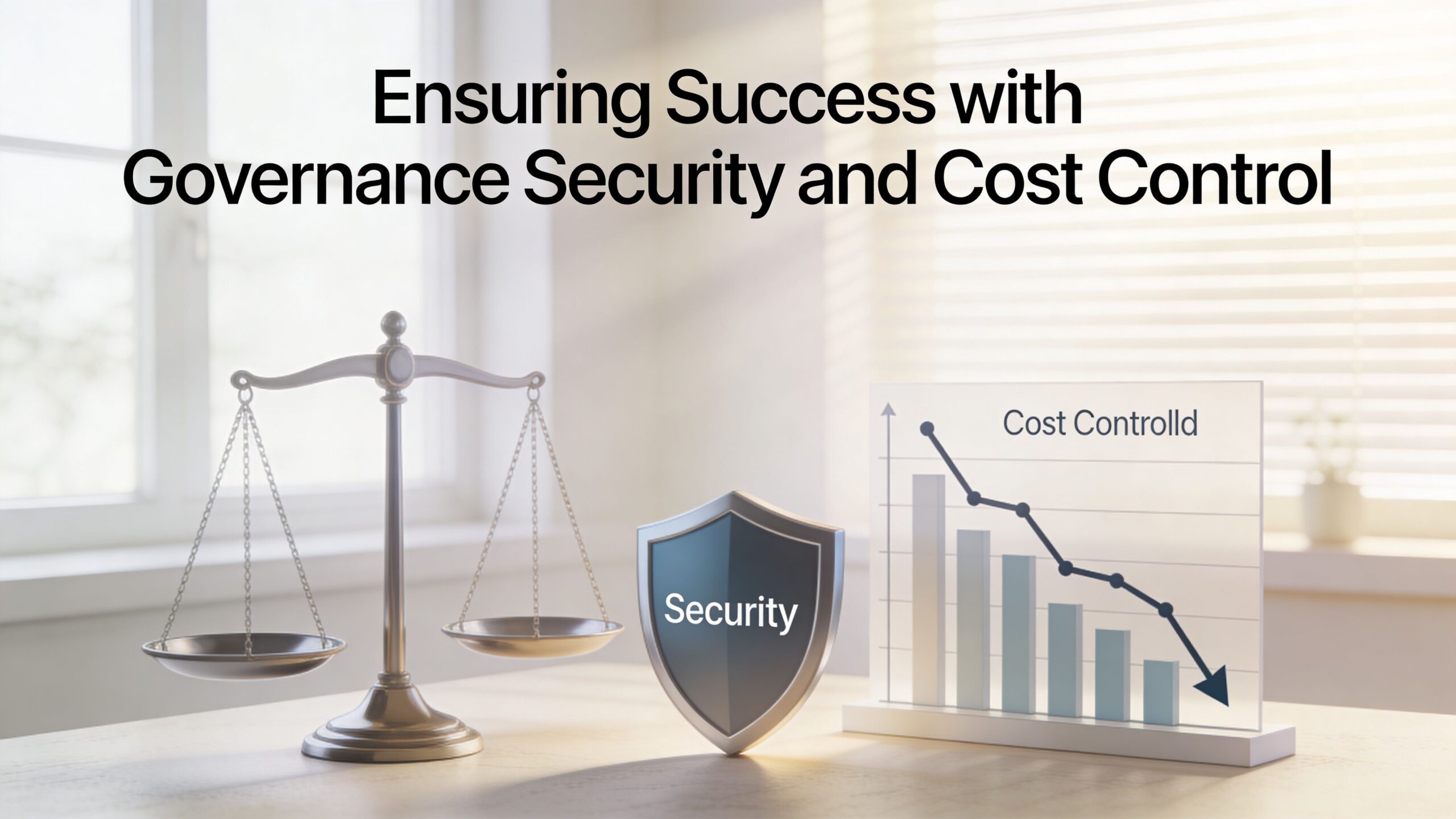
These three disciplines reinforce each other
Governance sets the approved patterns. Security hardens them. Cost control makes sure those patterns stay financially sane as adoption grows.
Get this right and modernization becomes easier to scale. Teams know how to build, what is allowed, who owns what, and how success is measured. Get it wrong and the cloud becomes a faster way to accumulate inconsistency, risk, and waste.
Navigating Common Modernization Pitfalls
Modernization projects rarely fail because the cloud itself was a bad idea. They fail because teams carry old habits into a new environment, or because they attack the hardest problem first without reducing uncertainty.
Pitfall one lifting and shifting technical debt
A company moves a monolithic application quickly. The migration is called a success because the servers are no longer on-premises. Six months later, deployments are still fragile, scaling is still awkward, and operational complexity is now wrapped in a monthly cloud bill.
The prevention is simple in principle and hard in practice. Separate relocation goals from modernization goals. If you rehost a workload for speed, put a clear backlog behind it so the team knows which issues still need architectural attention.
Pitfall two getting stuck in analysis paralysis
Another team spends months cataloging every dependency, every possible target state, and every future improvement. Nothing breaks, but nothing moves either. Stakeholders lose confidence because the program produces documents instead of outcomes.
Use a bounded assessment. You need enough discovery to reduce risk, not enough to create a perfect map of the universe. Once the team can identify a safe, valuable first move, the pilot should start.
Done beats exhaustively theorized when the next step is already clear and controlled.
Pitfall three letting cloud spend drift upward
A fast-moving team creates environments for testing, demos, and temporary integrations. No one owns cleanup. Resources stay live because turning them off feels like another task for another day.
This isn’t a tooling problem first. It’s an operating model problem. Assign cost ownership, review usage regularly, and make expiration and rightsizing part of normal engineering hygiene.
Pitfall four mishandling business rules in legacy systems
The hardest failures often come from logic hidden inside old applications. Pricing rules, eligibility decisions, approval paths, and exception handling may exist in code, scripts, or undocumented operational workarounds. Move the application without extracting that logic carefully, and the behavior changes in subtle but damaging ways.
The IBM cloud modernization strategy insight notes that 55% of modernization failures stem from rule migration errors, and that decoupling business logic via APIs before migration can reduce this risk by 40%. That’s one of the clearest reasons to modernize in slices. Isolate business rules before you atomize the whole system.
A safer pattern looks like this:
- Identify critical rules first: Focus on decisions that affect customers, revenue, or compliance.
- Expose logic behind stable interfaces: APIs create a cleaner seam than direct code extraction under pressure.
- Validate behavior with business owners: Technical equivalence isn’t enough if operational intent changed years ago.
- Migrate in stages: Preserve rollback options while new and old logic coexist.
The common thread in all four pitfalls is avoidable haste in the wrong place. Move fast where uncertainty is low. Slow down where the business logic is dense, hidden, or poorly documented.
Accelerating Your Strategy with an Expert Partner
Most CTOs don't struggle to understand why modernization matters. They struggle with execution capacity. The roadmap is clear enough. The engineering calendar is not. Product deadlines continue. Legacy support continues. Hiring takes time. Internal specialists are expensive and hard to retain.
That’s why partnership often becomes the most practical move, especially for SMEs and startups. A strong partner shortens the gap between strategy and delivery by bringing patterns, engineering depth, and implementation discipline that your in-house team may not have time to build alone.

Why going alone often costs more than it seems
On paper, doing everything internally can look cheaper. In practice, the hidden costs are usually schedule drag, rework, delayed releases, and overloading the team you already depend on for core product delivery.
An expert partner helps in a few specific ways:
- Faster decision quality: Experienced architects can distinguish between workloads that need redesign and workloads that only need cleanup.
- Execution without full-time overhead: You get specialized skills when needed without staffing every role permanently.
- Stronger delivery rhythm: External practitioners usually bring proven methods for assessment, pilot design, migration sequencing, and operational handoff.
- Risk reduction: Teams that have seen common failure patterns can spot weak assumptions early.
Why a US-based outsourcing partner is especially useful
For modernization work, location and operating model matter. A USA-based outsourcing partner can make collaboration easier because communication is more direct, business context is easier to align, and working sessions with leadership, product, security, and finance are simpler to schedule.
That matters more than many teams expect. Cloud modernization isn’t only an engineering exercise. It includes budget approval, compliance interpretation, process redesign, and stakeholder trade-offs. Shared business context and smoother communication reduce the drag that often slows programs down.
For startups and smaller companies, this model is even more practical. You get access to senior cloud, software, and operations talent without carrying the full hiring burden upfront. You can scale the engagement up when the roadmap accelerates and scale it down when the heavy lifting is complete.
What good partnership looks like
A useful partner doesn't just provide hands. They provide judgment.
Look for these qualities:
- Portfolio thinking: They should help decide what to modernize, not just agree to modernize everything.
- Engineering realism: They should talk clearly about dependencies, rollback, sequencing, and operational readiness.
- Cross-functional support: Modernization often touches software development, cloud operations, security, and business process work at the same time.
- Adaptable resourcing: SMEs need flexible capacity, not rigid delivery structures built for giant enterprises.
The best partner acts like an extension of your leadership and engineering team, not a ticket-taking vendor.
A sound cloud modernization strategy creates agility, cost discipline, and room for innovation. An expert partner helps you get there without forcing your internal team to carry every burden alone.
Ready to build your cloud modernization strategy with a trusted US-based partner? NineArchs LLC helps startups, SMEs, and enterprise teams modernize with flexible engineering, cloud computing, software development, Microsoft 365, security, and operational support that scales with your needs. To discuss your roadmap, call (310)800-1398 / (949) 861-1804 or email info@ninearchs.com.